Key takeaways
- Split ticket time into three parts: order to fire, fire to pass, and pass to table. Each part has different causes and different fixes.
- Measure before you change anything. KDS prep timers show how long each ticket has been waiting, and a week of simple logging tells you where the delay sits.
- Most slow tickets come from one overloaded station, a menu that asks too much of the line, thin mise en place, or a pass with no one running it.
- The fixes are usually unglamorous: fewer components, batch prep to par, better station routing, a dedicated expo, and rosters built around your real peaks.
- Treat delivery and QR ordering surges as their own problem. They arrive in bursts and can bury dine-in tickets if nobody manages the queue.
Kitchen ticket times decide how a service feels to guests and to staff. When tickets run long, tables wait, servers hover at the pass, delivery riders queue at the door and the line starts cutting corners. When they run short and steady, the whole restaurant relaxes. This guide explains how to measure kitchen ticket times properly, how to find the real bottleneck, and which fixes tend to work in Singapore kitchens, from small hawker-style stalls to full-service restaurants.
There is no single “good” ticket time. A bowl of noodles and a slow-braised main have very different targets, and a quick-service counter is judged differently from a fine-dining room. So this guide does not quote industry benchmarks. Instead, it shows you how to set your own targets per dish and per daypart, and how to hit them.
What “ticket time” actually means
Ask five chefs what ticket time means and you may get five answers. Agree on definitions first, or your numbers will not be comparable from week to week. A practical breakdown uses three segments.
| Segment | Starts | Ends | What usually slows it |
|---|---|---|---|
| Order to fire | The order is sent from the POS, QR menu, kiosk or delivery channel | A cook starts working on it | Tickets queuing behind others, held courses, unclear priorities, orders arriving in bursts |
| Fire to pass | A cook starts the dish | The dish lands at the pass, complete | Station overload, complex dishes, missing mise en place, equipment limits, waiting for a component from another station |
| Pass to table | The dish is complete at the pass | It reaches the guest, the packing station or the rider | No expo, too few runners, plates waiting for the rest of the table, packing delays |
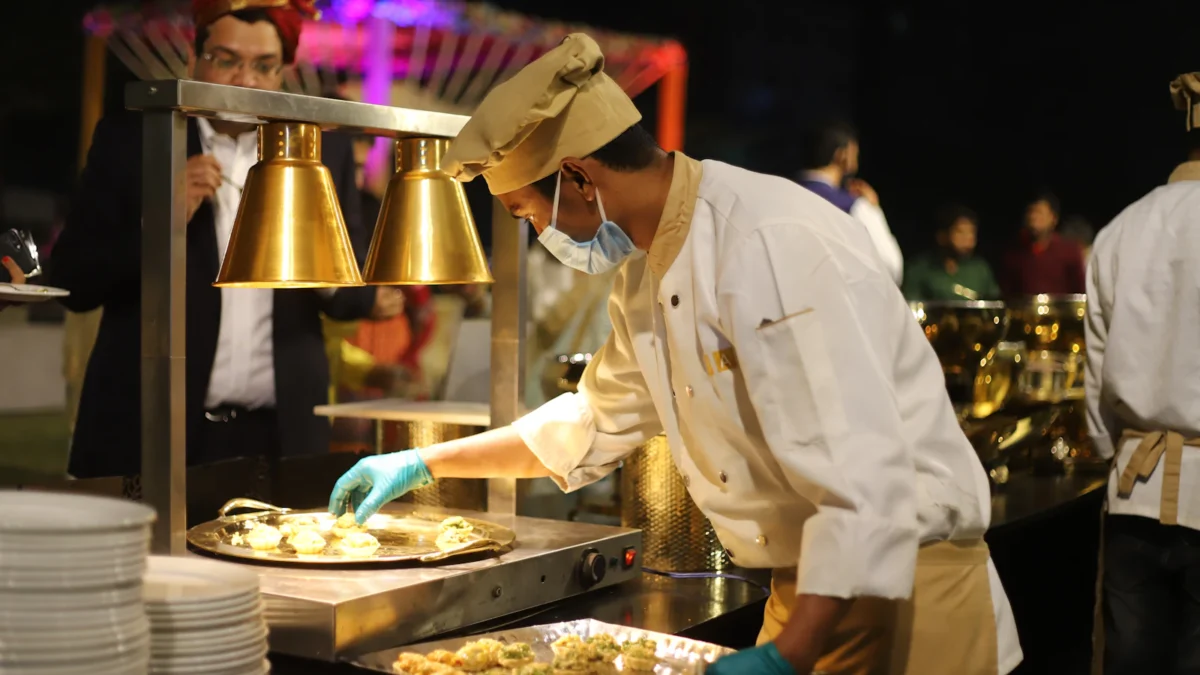
Total ticket time is the sum of the three. Guests only feel the total, but you can only fix the segments. A kitchen that cooks quickly but lets plates sit under the heat lamp has a pass problem, not a cooking problem, and no amount of pressure on the line will fix it.
Decide also whether you measure per ticket (the whole order) or per item. Per ticket tells you about guest experience. Per item tells you which dishes are dragging. You will want both.
How to measure ticket times
With a kitchen display system
A kitchen display system makes measurement much easier than paper. ChaChaCha’s KDS has prep timers, so every ticket on screen shows how long it has been waiting. That gives the line a live view during service and gives the head chef something objective to point at when a ticket starts to age. The KDS also handles station routing and order prioritisation, which come up again in the fixes below. If you want to keep historical ticket-time data for reporting, ask us to confirm what can be exported for your set-up.
If you are still deciding between screens and printers, our comparison of KDS vs kitchen printers covers the trade-offs, and our guide to the best kitchen display systems in Singapore covers what to ask vendors.
Without a KDS
Printed tickets carry the order time. Ask the expo or head chef to write the time each ticket was fired and the time it reached the pass, and ask runners to note when plates left the pass. It is manual and imperfect, but a few busy services of data is enough to show patterns.
What to record
- Date, daypart and covers (or order count) for the service
- Channel for each order: dine-in, QR, kiosk, takeaway, GrabFood or your own online ordering
- The three segment times for a sample of tickets, especially at peak
- Which station was last to finish on slow tickets
- Any incidents: equipment down, staff short, an 86’d item, a large party
Do not try to log everything. A sample of tickets from your two busiest services each week is more useful than a perfect record of a quiet Tuesday.
Finding the bottleneck
Once you have a week of data, look for where time piles up. In most kitchens it is one of four things.
Station load
If the same station is last to finish on most slow tickets, that station is your constraint. It is common for the grill, the wok or the fryer to carry far more of the menu than the others. Count how many menu items touch each station and compare it with how many cooks work there at peak. A station with half the menu and one cook will always be the bottleneck, however fast that cook is.
Menu complexity
Dishes with many components, several stations, or last-minute finishing steps take longer and fail more often. Look at the items that appear most often on slow tickets. Often it is a small number of dishes that need two stations to come together at the same moment.
Prep and mise en place
If cooks leave the station mid-service to fetch, portion, slice or defrost something, fire-to-pass time jumps. Watch a peak service for ten minutes and count how often each cook walks away. The layout matters too; our guide to restaurant kitchen layout design covers work triangles and station placement, and the commercial kitchen equipment list helps if a piece of equipment is simply too small for your volume.
The pass and expo
If fire-to-pass is fine but pass-to-table is long, your food is ready and waiting. That usually means no one owns the pass, runners are also taking orders, or dishes for the same table finish at very different times.
Hypothetical example: a 60-seat Western café logs a week of lunch tickets and finds that almost every slow ticket includes a burger. The grill cook also handles the fryer, so burgers and fries compete for one person. Moving fries to a second cook at peak, and pre-portioning patties to par before service, targets the one real constraint instead of pushing the whole line to “go faster”.
Fixes that shorten ticket times
Simplify the menu
Every component you remove is time saved on every order. Look for dishes that need two stations, garnishes that take longer than the protein, and low sellers that tie up space in the lowboy. Your POS item sales report shows what actually sells; cutting a slow item that is hard to cook often speeds up everything else. The restaurant KPIs guide covers how to weigh sales against effort and margin.
Batch prep to par levels
Set a par level for each prepped component: the amount you want ready at the start of each service. Base it on what you actually sell per daypart, not on habit. ChaChaCha’s inventory deducts ingredients by recipe with each sale, which gives you a usage picture to set pars against. Prep sheets tied to pars stop the line running out halfway through lunch.
Route tickets to the right station
Station routing sends each item to the station that cooks it, so the wok sees wok items and the cold station sees cold items, without anyone reading a full ticket and shouting it across the kitchen. ChaChaCha’s KDS supports station routing, and Epson cloud printing can send tickets to multiple printers if some stations stay on paper. Kitchen tickets can print in English or Chinese, which helps mixed-language teams read orders correctly first time.
Prioritise the right orders
Not every ticket should be cooked in strict arrival order. A rider waiting at the door, a table on its second course, or a large party that must land together may need to jump the queue. ChaChaCha’s KDS supports order prioritisation, so the head chef or expo can move an order up rather than shouting over the line. Agree the rules in advance so priority is not decided by whoever is loudest.
Staff to your real peaks
Many kitchens roster to the clock rather than to demand. Pull sales by time of day from your POS reports and line them up against your roster. If your busiest hour on Saturday starts at 12.15 but the second wok cook arrives at 12.30, you have found free minutes. Our guide to restaurant labour cost in Singapore covers how to do this without inflating the wage bill.
Write it down
A fix that lives in the head chef’s head leaves with the head chef. Put station set-up, par levels and the priority rules into your restaurant SOPs so every shift runs the same way.
The expo role
The expeditor, or expo, stands at the pass and controls the flow between kitchen and floor. In a small kitchen this might be the head chef for part of service. In a larger one it should be a dedicated person at peak.
A good expo:
- Watches the KDS timers and calls out tickets before they go late
- Fires courses and holds items so a table’s dishes arrive together
- Checks each plate against the ticket, including modifiers and allergy notes
- Decides which order jumps the queue, using the agreed priority rules
- Hands plates to runners or the packing station and marks tickets complete
Allergy and modifier checks at the pass are worth the few seconds they take. Our guide to food allergen management explains how to carry allergy notes from the order to the pass in writing, and custom modifiers on the POS keep “no peanuts” or “less spicy” on the ticket instead of in a server’s memory.
Without an expo, cooks start plating for the floor and the floor starts shouting at the kitchen. With one, the line can concentrate on cooking.
Handling delivery and QR ordering surges
Dine-in orders arrive at the pace servers can take them. QR ordering, kiosks and delivery platforms remove that natural throttle. Ten tables can order at once, and a batch of GrabFood orders can land in the same minute. That is good for sales and hard on ticket times.
Practical steps:
- Know the burst pattern. Use your ticket log to see when surges happen, by channel and by day.
- Stage delivery prep. Keep packaging, sauces in pots and bags ready at the packing station so delivery orders do not wait on packing.
- Agree priority rules across channels. A rider standing at the counter and a dine-in table waiting for mains both matter. Decide how the expo balances them.
- Manage what you offer at peak. If a dish reliably slows the line at peak, consider limiting it on delivery during those hours. Ask us to confirm how item availability changes sync across your channels.
- Use platform tools. Our GrabFood merchant guide covers the merchant app’s store modes, which can help when the kitchen is overwhelmed.
ChaChaCha’s GrabFood integration brings delivery orders into the POS, so they reach the kitchen through the same routing as dine-in orders instead of from a separate tablet someone has to re-key. For your own channel, see our guide to online ordering for restaurants. Our companion guide on running delivery in-house covers packing and rider handover.
Ticket times and table turnover
Faster tickets do not automatically mean faster turns, but slow tickets almost always mean slower turns. For dine-in, total ticket time sits inside the wider guest journey: seating, ordering, waiting, eating, paying. Our guide to table turnover rate covers the other stages. If ticket times are fine but turns are slow, the problem is elsewhere, often at the ordering or payment stage, which QR ordering and split bills at the table can help with.
Watch the guest side too. Shorter ticket times should show up as fewer “where is my food” comments. Our guide to collecting customer feedback covers how to track that.
A weekly ticket-time review
Ticket times drift. New dishes, new staff and seasonal peaks all push them out. A short weekly review, run by the head chef and the manager, keeps them honest. Use a simple table like this.
| Check | Where to look | Question to ask | Typical action |
|---|---|---|---|
| Average and slowest tickets at peak | KDS timers or manual ticket log | Are we within the target we set for each daypart? | Pick one segment to improve next week |
| Last station to finish on slow tickets | Ticket log | Is it the same station every time? | Rebalance menu items, add a cook at peak, or pre-prep |
| Dishes on slow tickets | Ticket log and POS item sales | Which items keep appearing? | Simplify, change the method or pull from peak menu |
| Run-outs mid-service | Prep sheets, 86 list, recipe-level usage | Were pars too low? | Adjust par levels by daypart |
| Channel surges | Ticket log by channel | Did QR or delivery bursts push dine-in late? | Adjust priority rules or peak availability |
| Staffing against demand | POS sales by time of day and the roster | Did the second cook arrive before the rush? | Shift start times |
| Guest comments on waiting | Feedback and reviews | Are complaints about speed rising or falling? | Confirm the fixes are felt by guests |
Change one thing at a time. If you move a station, add a cook and cut three dishes in the same week, you will not know which change worked.
Where the POS fits
A POS will not cook faster, but it removes a lot of the friction that makes tickets slow: orders re-keyed from a tablet, handwriting nobody can read, modifiers lost between floor and kitchen, and no idea which station is behind. ChaChaCha combines the restaurant POS, KDS with station routing, prioritisation and prep timers, QR ordering and GrabFood integration, and the POS keeps taking orders if the internet drops, syncing later. If you are comparing systems, our guide to the best restaurant POS systems in Singapore sets out what to ask. Pricing is quote-based, and eligible businesses may be able to claim support under the EDGE Grant; see our grant guide. To see how the KDS would work on your line, contact us.