
Food & Beverage
Food Court & Multi-outlet POS System
Central reporting, shared menus and per-stall settlement for food court operators, F&B groups and franchises.
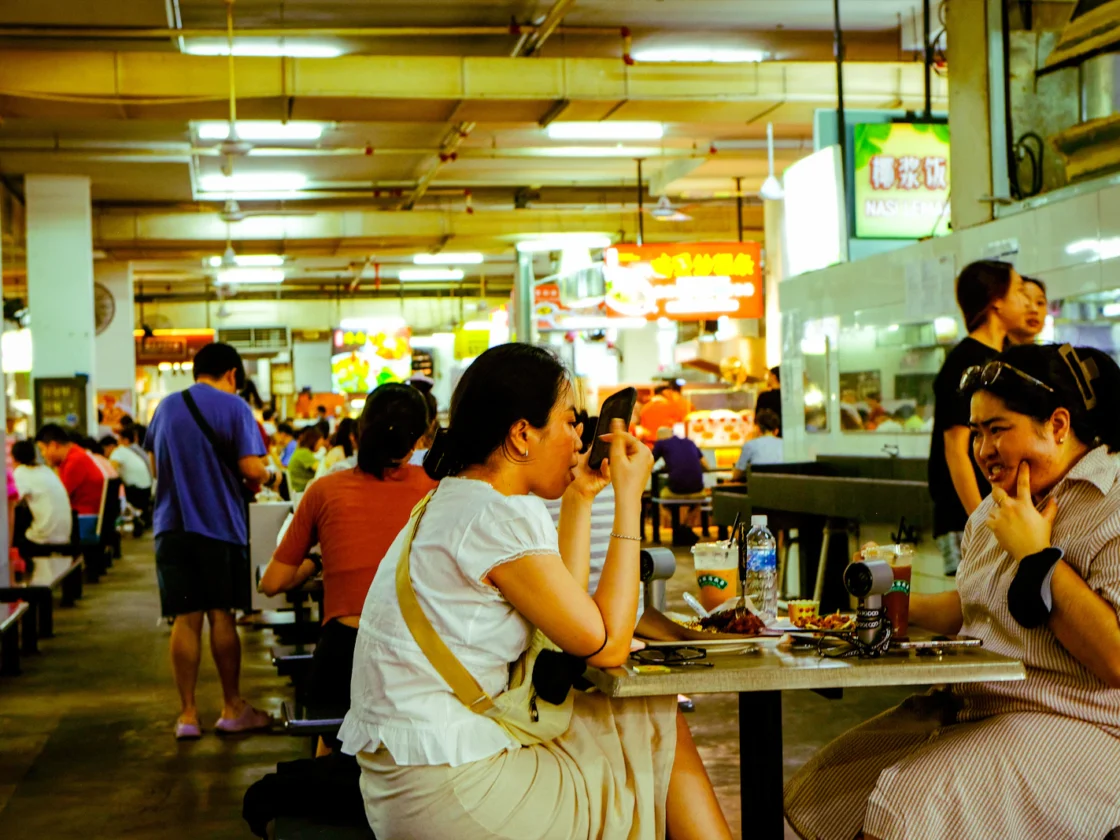
Once you run more than one outlet or manage many stalls, you need control from the centre. That means one menu to update, one place to see sales and a clear settlement for each stall or franchisee. ChaChaCha gives operators that view without slowing down the counters.
What a food court needs from a POS system
- Central menu control. Push prices and menu changes to every outlet at once, or leave some local.
- Outlet and stall reporting. Compare sales, margins and peak hours across locations.
- Per-stall settlement. Split takings by stall or tenant for clean settlement.
- Role-based access. Head office, outlet managers and cashiers each see only what they need.
How ChaChaCha runs your food court
One dashboard for every outlet
Live sales by outlet, hour and item, from anywhere.
Consistent menus, local flexibility
Set group-wide items and prices while allowing outlet specials.
Central inventory view
See stock levels across outlets and move stock between them.
Scales with you
Add a new outlet in minutes, without a new system or contract.
Common problems for food court and multi-outlet operators
Settlement that drags on
When each stall runs its own system, the operator spends the start of every month collecting sales figures and checking them against payments. Sales tagged by stall turn settlement into a report, not a project.
Menus that drift between outlets
A price change from head office reaches some outlets on Monday and others on Thursday. Central menu control pushes the change everywhere at once, while outlet specials stay local.
Head office working from old numbers
Figures arrive by email in different formats, so the group only sees the full picture at month-end. Live dashboards, the head-office ERP and Xero integration give finance the same view as operations.
A weekday lunch across a food court with ChaChaCha
At 11.30am the stalls in a suburban food court switch on their terminals. The operator's update to bottled drink prices is already live at every drinks counter.
By 12.30pm the hall is full. At the busiest stalls, self-order kiosks take pressure off the counter. Customers tap their card on the built-in terminal, get a queue number and receive an SMS when their food is ready. Elsewhere, diners pay at the counter with PayNow, NETS or GrabPay.
At head office, the operations manager watches sales by stall and by hour on the dashboard. The western food stall is quieter than usual, so she makes a note to review its menu with the tenant. She doesn't have to wait for anyone to email her a spreadsheet.
After close, every sale is already tagged by stall, and finance pulls the figures for settlement. Totals flow into Xero for the accounts. At the group's café across town, the outlet manager asks the AppsPOS AI agent on WhatsApp how lunch compared with last Tuesday.
Food court and multi-outlet POS hardware and setup
- A POS terminal at each stall or outlet counter, all on one central account
- Self-order kiosks with built-in card terminals for high-traffic stalls
- Epson cloud printers and kitchen display screens for each kitchen
- Digital queue displays with SMS alerts for busy stalls
- Head-office access to the ERP, group reports and Xero integration
AppsPOS supplies the hardware, and we can tell you which grant support applies to your rollout. For rollouts across many stalls or outlets, we plan the setup with you: a standard menu and staff roles first, then each site's local items, logins and payment setup. Talk to us about phasing the rollout so trading isn't disrupted. Stall staff get a short hands-on session at their own counter, and outlet managers learn the reports they'll use every day.
What a food court POS costs
Your cost depends on the number of terminals, the hardware you need and the add-ons you choose. Get an estimate in under a minute with our POS cost calculator. ChaChaCha software and hardware are supplied by AppsPOS Pte. Ltd., and we can tell you which grant support applies to your setup. Our guide to PSG and the EDGE Grant explains what changes and how to apply.
Related guides
Features included
QR Ordering System
Diners scan, order and pay from the table. Orders go straight to the kitchen.
Learn moreKitchen Display System
Swap paper chits for a screen that routes each item to the right station.
Learn moreSelf-Order Kiosk
Cut queues at peak hour and sell more with upsell prompts.
Learn moreInventory Management
Recipe-level stock deduction, low-stock alerts and purchase orders.
Learn moreDelivery Integration
Delivery platform orders land straight in your POS.
Learn morePayments: PayNow, NETS & Cards
Accept PayNow, SGQR, NETS, cards and e-wallets, all reconciled automatically.
Learn moreFrequently asked questions
Can I manage many outlets from one account?
Yes. Menus, staff, pricing and reports for every outlet are managed centrally.
Can food court operators settle takings per stall?
Yes. Sales are tagged by stall so you can settle each tenant accurately.
Can outlets have different prices?
Yes. Use group-wide pricing with outlet-level overrides where needed.
Is there a back-office system for head office?
Yes. AppsPOS includes an ERP for head office operations alongside the POS.
Can stall tenants see their own sales without seeing other stalls?
Yes. Role-based access means each user sees only what they're allowed to. The operator and head office see every stall and outlet, tenants and outlet managers see their own counters, and cashiers see only the till screens they need to work.
Does the POS connect to our accounting software?
ChaChaCha integrates with Xero, so sales from every outlet can flow into your accounts without re-keying. If your group uses different accounting software, talk to us about how to get data out of the head-office ERP in a format your finance team can use.
What reports should a food court operator check every day?
Check sales by stall and by hour, takings by payment method, and any voids, refunds or discounts. Sales by stall show which tenants are trading well and feed settlement, while hourly sales show whether staffing and kiosks match the peaks. A daily look at payment totals catches missing settlements early, before they turn into a month-end dispute with a tenant.
Does each food court stall need its own GST registration?
GST registration applies to each business, not to the building. A stall tenant that is a separate business must register if its own taxable turnover exceeds S$1 million in 12 months, and only registered businesses may charge GST. Operators should make sure each stall's receipts match its registration status. Check IRAS guidance if stalls are run under one company.
Can loyalty points be shared across all our outlets?
Yes. Points, stamps and stored value balances are linked to the customer's phone number and shared across outlets, so a regular at one branch is recognised at every branch. Head office can see member sales across the group and send WhatsApp offers to members who have agreed to receive them, such as a promotion to bring customers to a newer outlet.
What happens if one outlet loses its internet connection?
That outlet keeps trading. The POS is a hybrid system, so it continues to take orders offline and syncs the sales to head office when the connection returns. Other outlets are not affected. Card and e-wallet payments still need a connection at the payment terminal, so give busy stalls a backup such as a mobile hotspot for the payment side.
See ChaChaCha running in your business
Book a 20-minute walkthrough. We'll set up your menu or catalogue and your payments so you can see how it would run on day one.