
Features
Self-Order Kiosk
Cut queues at peak hour and lift order values with a self-ordering kiosk that is fully connected to your POS and kitchen.
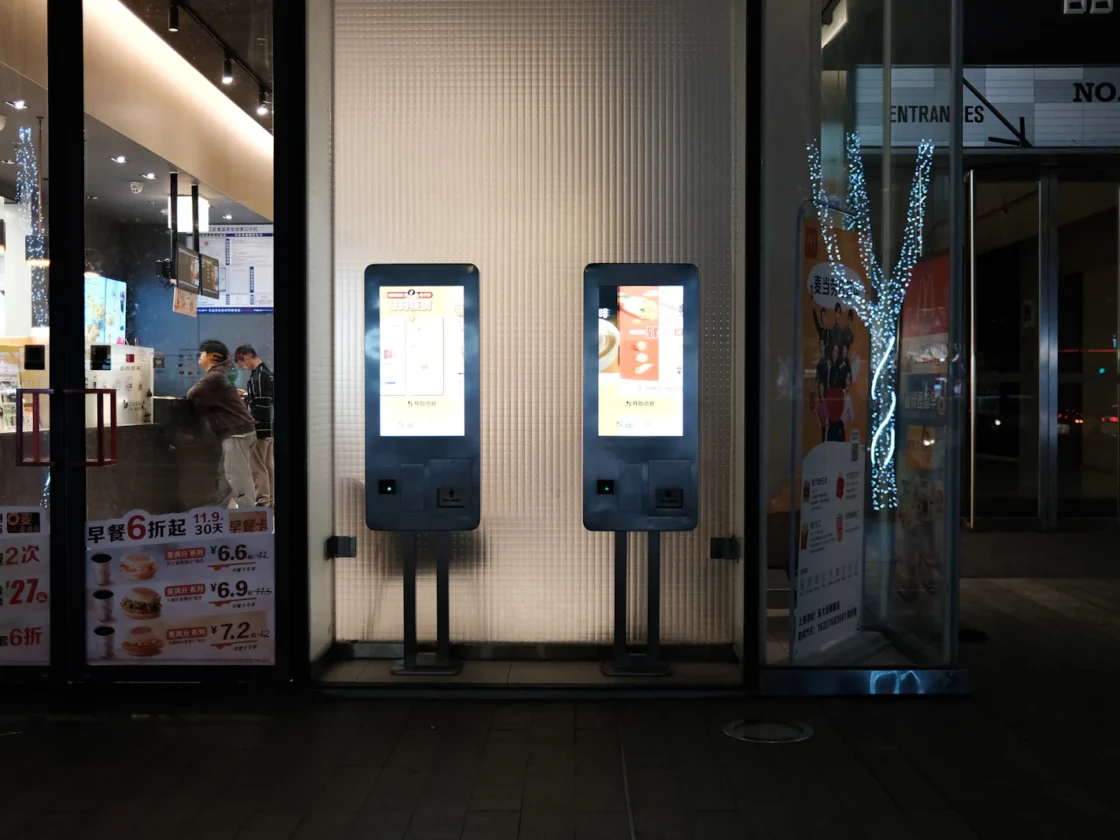
At lunch peak your counter is the bottleneck. A self-order kiosk lets customers browse, customise and pay on their own while staff focus on making the food.
What you get
Visual menu
Photos and clear modifiers help customers order what they want.
Upsell prompts
Suggest combos and add-ons at every step.
Cashless payments
Cards, NETS, PayNow and e-wallets on the kiosk's built-in payment terminal.
Direct to kitchen
Orders go straight to the kitchen display with a queue number.
How ordering at a self-order kiosk works
From the customer's side, a kiosk order takes a few taps.
- Tap the screen to start and browse the menu by category, with photos for each item.
- Pick an item and customise it, for example size, sugar level, toppings or no chilli.
- See suggested combos and add-ons before checking out.
- Pay on the built-in terminal by card, NETS, PayNow or e-wallet.
- Take the receipt with a queue number.
- Wait for the number to appear on the queue display, or for an SMS, then collect.
Behind the scenes, the order goes straight to the kitchen display or printer. Nobody at the counter has to key it in. Customers who want to pay cash can order at the kiosk and pay at the counter.
Where self-order kiosks work well
Quick-service and fast-casual restaurants
When the lunch crowd arrives at once, several people can order in parallel instead of in a single line.
Bubble tea, coffee and dessert shops
Menus with many options are where counter orders go wrong. On a kiosk, customers set sugar, ice and toppings themselves and check them before paying.
Food courts and hawker-style concepts
Pay-first ordering and a queue number suit a busy, self-service setting, and free up space in front of the stall.
Retail
In retail kiosk mode, shoppers browse products and pay on their own. It suits smaller stores and pop-ups that are short on counter staff.
Kiosks suit places where customers already know roughly what they want. For fine dining or venues where staff guide every order, table service or QR ordering is usually the better fit.
Benefits of a self-ordering kiosk, and what to measure
A kiosk does not replace your team. It moves them from taking orders to making food, packing and serving. Track these to see whether it is working:
- Queue length and wait time at your busiest hour.
- Average order value on the kiosk compared with the counter.
- Upsell take-up: how often suggested combos and add-ons are accepted.
- Order accuracy: fewer remakes when customers choose their own options.
- Kiosk share: the proportion of orders that come through the kiosk each day.
If kiosk use stays low, watch a few customers order. You will quickly see which step makes them hesitate.
Kiosks also help on quieter shifts. One staff member can keep the kitchen moving while the kiosk takes orders and payment, which makes early mornings and late nights easier to cover.
Getting the most from your kiosk
- Place it near the entrance, with a clear path from kiosk to collection point.
- Put best sellers and combos on the first screen.
- Keep the number of steps low and the buttons large.
- Keep a staffed counter open for cash, questions and customers who prefer a person.
- Station someone near the kiosk for the first few weeks to help first-time users.
- Update sold-out items promptly, since the kiosk shares the POS menu.
- Test the full order flow yourself, including payment and collection, before opening day.
The kiosk is supplied by AppsPOS as part of your hardware package, and we help you set up the menu, payment terminal and kitchen routing before it goes live.
Part of one system
Self-Order Kiosk shares the same menu, customers and reports as the rest of ChaChaCha, so there’s nothing to sync or re-key. See how it fits your business on our industry pages, or book a demo.
Related guides
Built for every kind of F&B
Restaurant POS System
Table maps, split bills, coursing and a kitchen display for full-service dining.
Learn moreCafé POS System
Fast counter checkout, modifiers for every drink and a loyalty programme for regulars.
Learn moreHawker & Kopitiam POS
A simple, affordable POS for stalls and kopitiams, with SGQR and PayNow built in.
Learn moreBar & Nightlife POS
Open tabs, happy hour pricing and stock control on every pour.
Learn moreBakery POS System
Quick checkout, pre-orders and inventory tracking that goes down to the ingredient.
Learn moreCloud Kitchen POS
GrabFood and online orders on one screen, with Lalamove delivery.
Learn moreFrequently asked questions
Is the kiosk menu the same as the POS menu?
Yes. Change it once and it updates everywhere.
Can customers pay cash at a kiosk?
They can order at the kiosk and pay cash at the counter.
What hardware is needed?
A self-order kiosk with a built-in payment terminal and receipt printer. We supply the kiosk as part of your package.
Can the kiosk be used in a retail store?
Yes. The kiosk has a retail mode, so shoppers can browse products and pay on the built-in terminal by themselves. It suits smaller stores and pop-ups where counter staff are stretched, and sales appear in the same POS reports as your counter sales.
How do customers know when their order is ready?
Each kiosk order prints with a queue number. When the order is ready, the number appears on the digital queue display, and the queue system can also send customers an SMS, so they do not need to crowd around the counter.
See ChaChaCha running in your business
Book a 20-minute walkthrough. We'll set up your menu or catalogue and your payments so you can see how it would run on day one.