
Food & Beverage
Hawker & Kopitiam POS System
A simple, affordable POS for hawker stalls, kopitiams and food court stalls, with SGQR and PayNow built in and a daily sales report you can read on your phone.
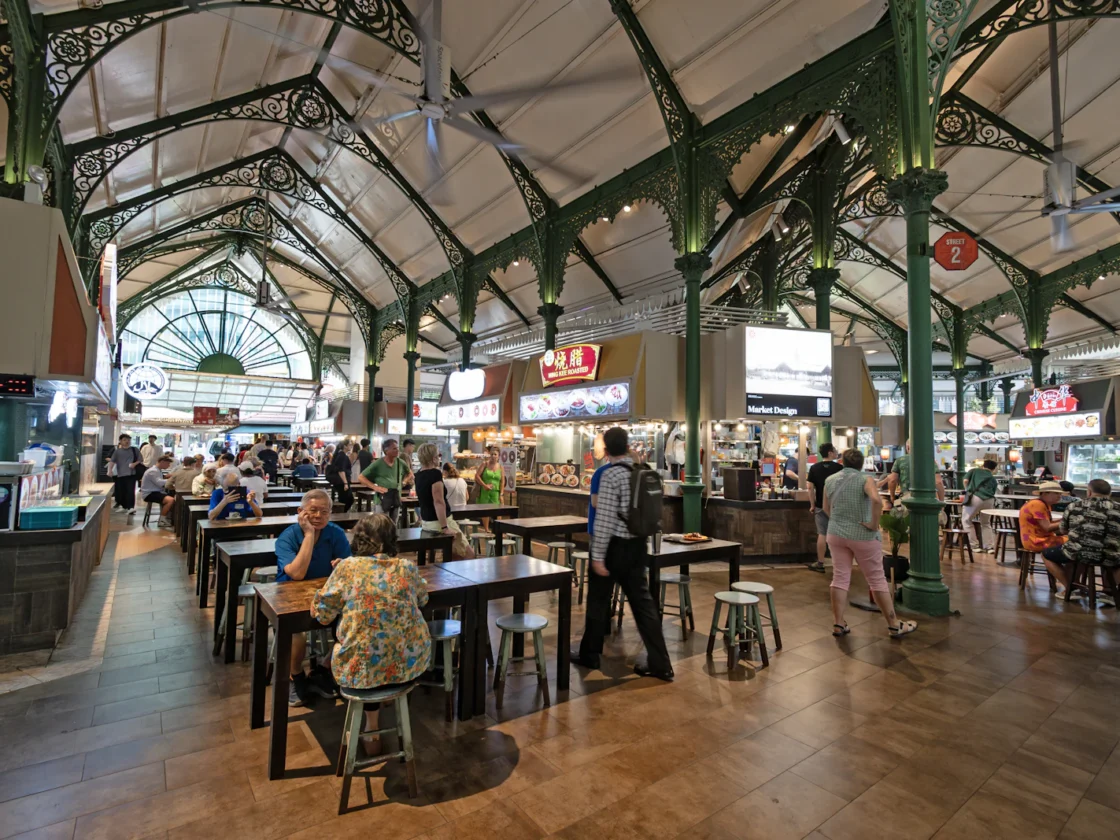
Most hawker stalls don't need a complicated system. They need to take orders fast, get paid by SGQR, PayNow or cash, and know at the end of the day what sold and how much came in. ChaChaCha gives stalls exactly that, on a device that fits the counter.
What a hawker stall needs from a POS system
- Fast ordering with few taps. Your whole menu fits on one screen, with add-ons like "extra egg" or "less rice" a tap away.
- SGQR, PayNow and cash in one place. Every payment type is recorded, so cash counts and digital payments reconcile.
- Queue numbers with SMS alerts. A queue number on the receipt or screen, and an SMS when the order is ready, so customers aren't crowding the stall.
- A daily report you can actually read. Sales, top items and payment breakdown sent to your phone each night.
How ChaChaCha runs your hawker stall
Set up in a day
We load your menu and prices and test your payments with you. Your stall is ready for the next service.
Built for small counters
It runs on a compact terminal or tablet with a small receipt printer. There's no back-office PC to manage.
Know your numbers
See which dishes sell at lunch versus dinner and which days are slow, and plan your prep to match.
Grow when you're ready
Open a second stall or move into a shop unit and add outlets on the same account.
Common problems at hawker and kopitiam stalls
Wrong orders in the lunch rush
A customer asks for two chicken rice, one without cucumber, one to take away, and the helper hears half of it. Orders keyed in with add-ons print on a ticket the cook can check, so the plate comes out right.
Cash and QR payments that don't add up
With a coin tray, an SGQR sticker and PayLah! on the side, end-of-day totals become guesswork. When every sale goes through the POS, cash and digital takings are counted separately and add up to the day's sales.
Crowds in front of the stall
At a popular stall, people waiting for food block the next customer from ordering. Queue numbers with SMS alerts let them sit down and come back only when their food is ready.
A lunch service at a hawker stall with ChaChaCha
At 11am the stall owner switches on the terminal while the stock pot is still going. Last night's sales report came to her phone, so she knows Friday lunch needs more char siew than a normal weekday.
By 12.15pm the office crowd has arrived. Each order takes a few taps: the dish, then 'add egg' or 'more chilli'. The customer scans the SGQR code or pays cash, gets a queue number and goes off to chope a table. When the order is ready, an SMS tells them to come back. Nobody crowds the counter.
At the busiest point, her son steps in to help. He logs in with his own staff account, so she can see later who took which orders.
By 2.30pm the rush is over. The cash in the drawer matches the cash total on screen, and PayNow and card payments are already recorded. She marks her popular set as sold out for the day and starts cleaning up. There's no notebook to total and no receipts to sort through tonight.
Hawker stall POS hardware and setup
- A compact POS terminal that fits a narrow stall counter
- A small printer for receipts, queue numbers and kitchen tickets
- SGQR and PayNow set up and tested against your account
- An optional digital queue display so customers can see when their number is ready
- Card payments, if your customers ask for them
The equipment comes from AppsPOS as part of your package. Setup happens around your stall hours. We load your menu in English and Chinese and show you and your helpers how to take orders and close the day. After that, you can ask the AppsPOS AI agent on WhatsApp how your stall is doing.
Grants for hawker stalls: PSG, EDGE and the Hawker Productivity Grant
Hawkers usually come across two grants. Enterprise Singapore's Productivity Solutions Grant (PSG) has supported pre-approved IT solutions, including POS packages, for eligible local SMEs. ChaChaCha is supplied by AppsPOS Pte. Ltd., which has been a PSG pre-approved vendor and is approved under the EDGE Grant. Enterprise Singapore combines PSG, EDG and MRA into the EDGE Grant from 30 September 2026, so ask us which grant support applies before you sign anything. Our guide to PSG and the EDGE Grant explains the change.
NEA's Hawkers' Productivity Grant (HPG) is separate. It co-funds up to 80% of the cost of approved automation equipment and digital services solutions, such as e-ordering and queue management, capped at S$7,000, for stallholders with an NEA tenancy. NEA's list excludes POS licences, receipt printers and payment terminals, and NEA says the last application phase ended on 31 March 2026. Our Hawker Productivity Grant guide has the details. Check with NEA whether a specific solution qualifies.
- PSG and the EDGE Grant: what POS buyers need to know
- Hawker Productivity Grant (HPG) for POS systems: 2026 guide
What a hawker stall POS costs
Your cost depends on the number of terminals, the hardware you need and the add-ons you choose. Get an estimate in under a minute with our POS cost calculator. ChaChaCha software and hardware are supplied by AppsPOS Pte. Ltd., and we can tell you which grant support applies to your setup. Our guide to PSG and the EDGE Grant explains what changes and how to apply.
Related guides
Features included
QR Ordering System
Diners scan, order and pay from the table. Orders go straight to the kitchen.
Learn moreKitchen Display System
Swap paper chits for a screen that routes each item to the right station.
Learn moreSelf-Order Kiosk
Cut queues at peak hour and sell more with upsell prompts.
Learn moreInventory Management
Recipe-level stock deduction, low-stock alerts and purchase orders.
Learn moreDelivery Integration
Delivery platform orders land straight in your POS.
Learn morePayments: PayNow, NETS & Cards
Accept PayNow, SGQR, NETS, cards and e-wallets, all reconciled automatically.
Learn moreFrequently asked questions
Do hawker stalls really need a POS?
Not always, but a simple POS cuts order mistakes, speeds up the queue and shows you exactly what you earn each day. It's especially useful if you accept several payment types.
Can I accept SGQR and PayNow?
Yes. SGQR and PayNow payments are recorded against each order so your daily totals match.
Is there a hawker-friendly setup?
Yes. We quote a lean setup for stalls, usually one terminal, a receipt printer and SGQR/PayNow, and we can tell you which grant support applies. Use the cost calculator for an estimate or WhatsApp us for a quote.
Can I use it at a food court or coffee shop stall?
Yes. Stalls inside coffee shops and food courts use the same setup. Landlords with many stalls should see our food court POS.
Can my stall menu and tickets be in Chinese?
Yes. The interface and kitchen tickets work in English and Chinese, so you and your helpers can use whichever language you're comfortable with. It helps when family members or older staff help out at the stall during busy hours.
Can I check my stall's sales without a laptop?
Yes. Your daily report comes to your phone, and you can also ask the AppsPOS AI agent on WhatsApp questions like 'what was my best-selling dish this week?' It answers from your stall's own sales data, so there's no need to dig through reports.
Can I use the Hawker Productivity Grant for a POS?
Not for a standard counter POS. NEA's Hawkers' Productivity Grant supports automation equipment and digital services solutions such as e-ordering and queue management, but its list excludes POS licences, receipt printers and payment terminals. NEA says the last phase closed on 31 March 2026. Check NEA's website for the next phase and whether a specific solution qualifies.
See ChaChaCha running in your business
Book a 20-minute walkthrough. We'll set up your menu or catalogue and your payments so you can see how it would run on day one.