Key takeaways
- Grab asks for your ACRA Business Profile (or NRIC for sole proprietors) and an SFA licence with at least two months’ validity, plus store and menu photos.
- Grab’s merchant page lists a 30% service fee on GrabFood and GrabMart orders, subject to GST, and a one-time activation fee of S$100 or S$300 per outlet before GST. Your merchant agreement is what actually applies, so confirm the terms before you sign.
- Price and build your delivery menu separately from dine-in. Use modifiers for sizes and add-ons, and test every dish in its packaging. Our guide to takeaway packaging covers what travels well.
- Use Busy mode, the Ready button and item availability honestly. Grab says marking orders ready too early can hurt your performance metrics.
- With ChaChaCha, GrabFood orders appear in the POS directly, go to the kitchen like any other order. No re-keying. Ask us to confirm how delivery status is shown.
This guide uses only what Grab publishes on its Singapore merchant page and its GrabMerchant help centre, checked in September 2026. Grab changes its terms and features from time to time, so treat the figures here as a starting point and confirm everything with Grab before you sign.
How GrabFood works for merchants
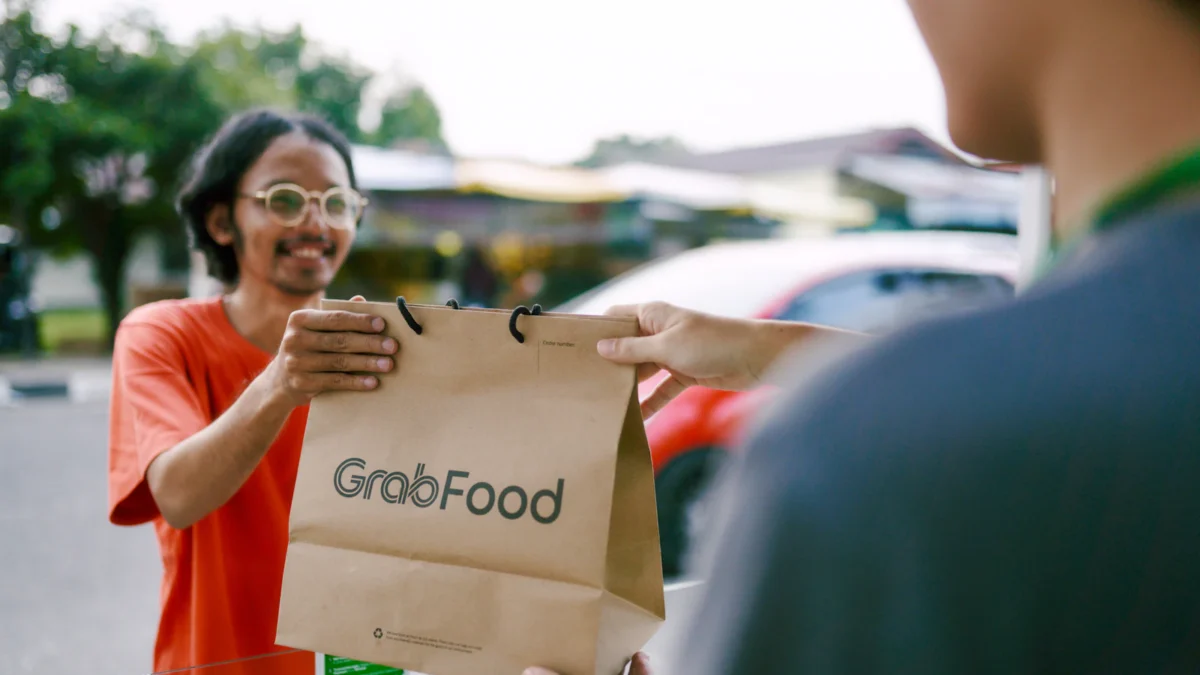
GrabFood is a marketplace. Customers browse restaurants in the Grab app, order and pay there, and Grab assigns a delivery partner to collect the food from you. You prepare the order, pack it, and hand it over. Grab takes a service fee on each order and pays out the rest to your bank account.
Grab’s app guide lists what the GrabMerchant app is used for day to day:
- Orders: see order details and track the assigned delivery partner.
- History: your daily order history for the past 30 days.
- Scheduled: advance orders, from 60 minutes to two days ahead, so you are not preparing at the last minute.
- Menu: review your menu and mark items unavailable when you run out.
- Inbox for Grab updates, and More for store availability, opening hours and the help centre.
There is also a web-based GrabMerchant portal for menu and finance tasks. Grab’s merchant page says all merchants can accept Self Pick-Up orders from their first day, where the customer orders in the app and collects from your counter. Grab’s help centre also has a separate training guide for merchants who deliver orders themselves.
One detail from the app guide worth knowing: if you log out of the app, your restaurant still appears to customers, but they cannot order. Stay logged in during your opening hours.
Signing up as a GrabFood merchant
According to Grab’s merchant page, registered companies and sole proprietors selling food and beverages for immediate consumption can apply. You do not need a shopfront, as long as you have the listed documents, which suits cloud kitchens. Our cloud kitchen POS guide covers systems for delivery-only kitchens. Our guide on starting a cloud kitchen in Singapore covers which SFA licence a delivery-only kitchen needs.
Documents Grab lists
- ACRA Business Profile for companies, or NRIC for sole proprietors. If you are not named in the ACRA profile, bring a Letter of Authorisation signed by someone who is, plus valid ID.
- A copy of your SFA licence with at least two months’ validity left.
- If applicable, your Halal certificate or Liquor Licence (see opening a halal restaurant) (Class 3A, 3B or 4) with at least three months’ validity.
- Digital photos: a store cover photo in 1:1 and 9:5 ratios, and menu item photos in 1:1.
- Your menu as an Excel sheet, photo, website address or Grab’s GrabFood Menu Template.
How to apply
Grab’s page says you can make an appointment at a Grab Merchant Centre or sign up online, then download the GrabMerchant app. Single-outlet GrabFood owners can also sign up directly in the GrabMerchant app. Grab says you can start receiving orders in 3 to 10 working days, and in as little as 3 days in some cases. Multi-outlet groups go through the online form and a sales representative.
Fees and commissions
Grab publishes its standard GrabFood merchant commission and other charges in the FAQ on its Singapore merchant page. As of September 2026 it states:
| Fee | What Grab’s page says |
|---|---|
| Service fee | 30% on all GrabFood and GrabMart orders, charged on both delivery and Self Pick-Up orders, subject to prevailing GST |
| Activation fee (own device) | S$100 per outlet, one-time, before GST, if you use the GrabMerchant app on your own Android device. Grab notes this option cannot print order receipts. |
| Activation fee (Grab Order Device) | S$300 per outlet, one-time, before GST, with a device that prints order receipts |
| How activation is paid | Not charged at sign-up; offset against your future earnings on Grab |
| Ads | Charged per click, deducted from your daily sales before settlement (see the ads section below) |
These are Grab’s published standard figures. The rate that applies to you is the one in your merchant agreement, so read it carefully and ask Grab directly about anything unclear, including marketing fees and how promotions are funded.
Payouts
Grab says your first payment is made within 10 working days of your first completed order, and later payments within 48 hours of completed orders. The help centre explains how to download financial reports and read transaction statuses and adjustment categories. Reconcile these against your own sales records every week, not just at month end.
Setting up your GrabFood menu
Your delivery menu is not your dine-in menu uploaded online. Build it for travel, for small screens and for your margins. See how to price a delivery menu in Singapore.
Pricing versus dine-in
With a published 30% service fee, many restaurants set delivery prices above dine-in prices. Work it out dish by dish: take the delivery price, subtract Grab’s fee and the GST on it, then subtract food cost and packaging. As a simple illustration, on a $20 item a 30% fee is $6 before GST, leaving $14 to cover ingredients, packaging, labour and rent. Some dishes will not work at any sensible price; leave those off. Our table turnover guide covers the dine-in side of the same margin question.
Photos and descriptions
Grab asks for 1:1 photos for menu items. Our food photography guide covers shooting dishes on a phone for delivery apps. Shoot the food as it will arrive, in your real packaging or plated simply, in good light. Write short descriptions that say what is in the dish, the portion and any spice level, so customers are not surprised.
Modifiers and options
Grab’s option groups guide covers choices such as ice level, sugar level, sizes, spiciness and toppings. You can make a selection required, set selection limits and price each option. Mirror your POS modifiers as closely as you can, so the ticket your kitchen reads matches what the customer chose.
Keeping the menu accurate
Grab’s unavailable items guide says you can mark a GrabFood item unavailable for today or indefinitely. If a customer has already ordered something you have run out of, Grab suggests calling them to offer an alternative of similar value. The help centre also covers stock limits, bulk edits, time-based menus and menus shared across several stores.
Operations: prep times, order accuracy and packaging
Delivery reviews are where operational slips show up. Grab’s ratings guide says delivery reviews consider packaging and food condition, and your store rating is the average of all customer ratings from the past 12 months. One bad week stays visible for a long time.
Prep times and busy periods
Grab’s store status guide describes three modes. Busy keeps you open but adds preparation time to new orders; it switches back to Normal automatically after two hours. Paused shows your store as temporarily closed for a set time. Normal reopens as usual. Use Busy before the kitchen falls behind, not after.
The Ready button
Grab’s Ready button guide says you should mark an order ready only when it is fully prepared and packed. Marking it early can raise your Order Delay Rate and lower your Merchant Quality Program score, which Grab says can affect your ranking and visibility. Used correctly, it helps Grab’s system learn your real prep times, so riders arrive closer to when the food is ready.
Order accuracy
- Check every bag against the ticket before it leaves: items, modifiers, cutlery, sauces.
- Seal bags so the customer can see nothing was opened.
- Keep a small, clearly marked handover shelf so riders do not wander into the kitchen or the dining room.
Packaging and food safety
SFA’s food delivery businesses page says food must be delivered in a way that does not compromise food safety, and points to Singapore Standard SS 672:2021 on delivering ready-to-eat food. The standard is voluntary, but its advice is sound: pack in a clean area away from raw food and keep hot food hot and cold food cold. Test each dish by packing it, waiting the length of a typical delivery, then eating it.
Promotions and ads on GrabFood
Grab offers paid visibility through Ad Manager, found under the Marketing tile in the GrabMerchant app. Its advertising FAQ describes two ad types:
- Banner Ads for top placement on the GrabFood home screen.
- Search Ads that move your store up in GrabFood search results for chosen keywords.
Grab says you pay only when a customer clicks, your daily budget caps the clicks, and ad spend is deducted from your daily sales before settlement. It also says ads do not guarantee more business, since results depend on your promo, photos, keywords and timing. Grab sometimes gives free ad credits for a first campaign, at its discretion.
Grab’s own best practices include running campaigns for at least 14 days, running no more than two at once, attaching a promo, and using a close-up food photo rather than a logo.
General advice on promotions
- Know your margin on each item after fees before you discount it.
- Promote dishes that travel well and are quick to make, not your slowest or most fragile items.
- Track promotions by week in your own reports, not just in the Grab app, so you can see whether they brought repeat customers.
Grab’s merchant page also lists Dine Out Deals, a loyalty solution and reservations for restaurants with seating. These are separate products; ask Grab about their terms if they interest you.
Integrating GrabFood orders into your POS
Many restaurants start with the Grab tablet on the counter. A staff member reads each order and types it into the POS, or shouts it into the kitchen. That works at five orders a day. At lunch peak it causes missed orders, wrong modifiers and sales that never reach your reports.
ChaChaCha integrates with GrabFood. GrabFood orders appear in the POS directly, so nobody re-keys them, and they route to the kitchen like any dine-in or takeaway order: to the right station on the kitchen display, with prep timers and prioritisation, or to Epson cloud printers. Ask us to confirm how delivery status is shown on the POS, so the front counter knows which orders are waiting for a rider.
Because GrabFood sales sit in the same system as dine-in, your reports show channel mix and item sales in one place. See our delivery integration page for how the flow works, and ask us to confirm how menu changes and item availability are handled for your setup.
Building your own ordering channel alongside GrabFood
GrabFood is good at bringing new customers. Your own channel is better for keeping them. Once someone has ordered from you on Grab and liked it, give them a reason to order direct next time: a flyer in the bag with a QR code, or a loyalty offer.
- Online ordering page. ChaChaCha includes an online ordering page, and you can dispatch those orders with Lalamove. Our guide to online ordering systems for Singapore restaurants compares the options.
- QR pre-order. Customers order and pay on their phone, then collect. See our QR ordering guide and the QR ordering system page.
- Loyalty. Points, stamps, vouchers and birthday rewards through CRM and loyalty give direct customers something Grab customers do not get.
Keep your direct prices sensible. Customers compare, and a direct price that is no better than Grab’s gives them little reason to switch.
GrabFood merchant checklist
| Stage | What to do |
|---|---|
| Before applying | SFA licence with at least two months’ validity; ACRA profile or NRIC; Halal or liquor licence if relevant |
| Commercials | Read the merchant agreement; confirm the service fee, activation fee, GST and any marketing charges in writing |
| Menu | Delivery-only item list; prices worked out after fees; 1:1 photos; option groups matching your POS modifiers |
| Packaging | Test each dish after a typical delivery time; sealed bags; separate hot and cold |
| Kitchen flow | Rider handover shelf; bag check against ticket; Busy mode rules for peak hours; mark ready only when packed |
| Systems | GrabFood orders into the POS and kitchen display; weekly payout reconciliation |
| Growth | Ads with a clear budget and a 14-day test; reply to delivery reviews; build a direct ordering channel |
If the Grab tablet is causing missed orders, talk to us about GrabFood integration with ChaChaCha. Pricing is quote-based and depends on your outlets and setup, and AppsPOS is approved under the EDGE Grant.