Key takeaways
- Businesses accept PayNow through PayNow Corporate, which links your company’s Unique Entity Number (UEN) to a business bank account. You register through your bank.
- There are three common ways to take PayNow: a static SGQR sticker, a dynamic QR generated per bill by your POS or terminal, and payment links or invoice QR codes.
- Static QR is cheap and simple but harder to reconcile. Dynamic QR carries the exact amount and a reference, which makes matching payments to bills much easier.
- Fees are set by each bank or payment provider. Check the current tariff in writing. The Association of Banks in Singapore states that businesses may not surcharge consumers for PayNow.
- Never accept a customer’s phone screen as proof of payment. Confirm in your bank app, alerts or POS.
What PayNow is: personal PayNow vs PayNow Corporate
PayNow is Singapore’s instant funds transfer service, run by participating banks and payment institutions. According to the Association of Banks in Singapore (ABS), it lets people send Singapore dollars instantly using a mobile number, NRIC/FIN or a virtual payment address instead of a bank account number. ABS states that PayNow launched on 10 July 2017 and is available around the clock.
There are two sides to it:
- Personal PayNow links an individual’s mobile number or NRIC to their personal bank account. It is built for transfers between people.
- PayNow Corporate extends the service to businesses, government agencies and associations. ABS describes it as letting entities send and receive funds by linking their UEN to their bank account.
If you run a registered business, take payments into your business account under your UEN, not into a personal account through your own mobile number. It keeps business takings separate from personal money, makes your books cleaner, and means the customer sees your registered business name when they confirm the transfer. That last point matters: customers are more comfortable paying a name that matches the shop in front of them.
ABS also lists the participating banks (including DBS, OCBC, UOB, Maybank, HSBC and Citi) and several major payment institutions. Your customers can pay from any participating bank’s app, so you only need PayNow Corporate on one business account to receive from all of them.
Ways to accept PayNow at your business
Once your UEN is registered, there are three practical ways to collect.
1. Static SGQR sticker
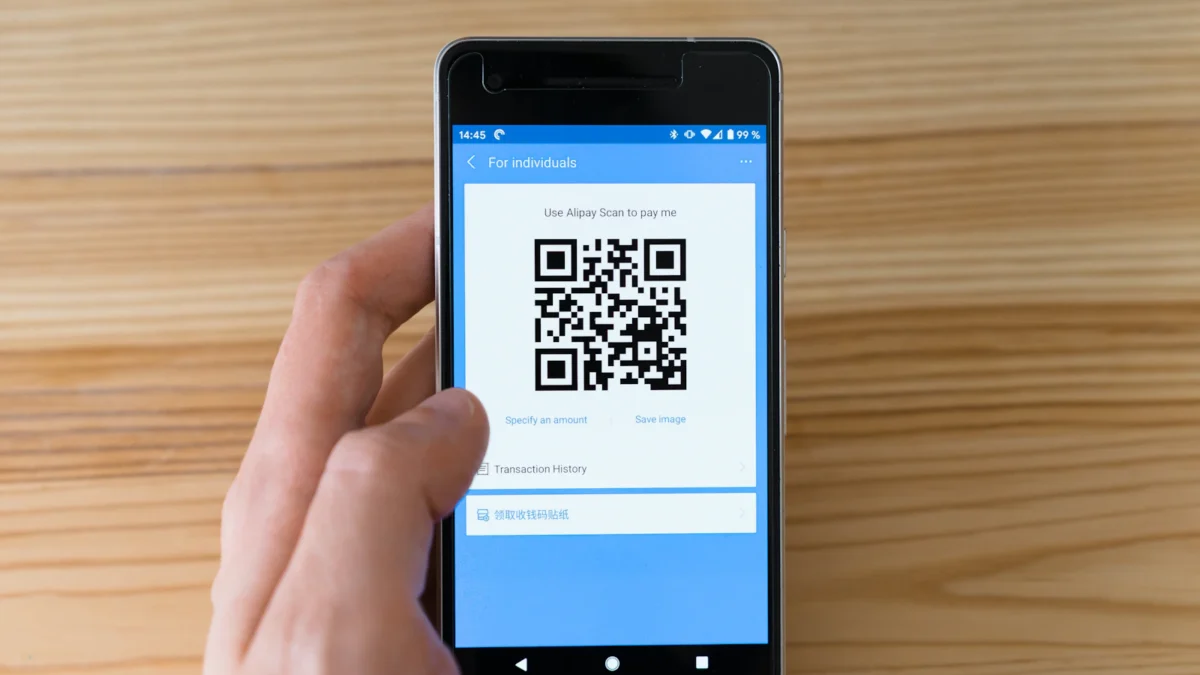
A printed QR code at the counter or on each table. The customer scans it, types in the amount, and pays. SGQR, which the Monetary Authority of Singapore describes as “a single standardised QR code for e-payments” that combines multiple payment schemes into one label, is co-owned by MAS and IMDA. ABS notes that PayNow QR codes are integrated with SGQR, so a single label can carry PayNow alongside other schemes.
Static QR suits low-volume counters, market stalls and small cafés. Its weakness is that the customer keys in the amount, so mistakes and mismatches are common, and there is no bill reference to tie each payment to an order.
2. Dynamic QR on your POS or terminal
A new QR code is generated for each bill, with the exact amount and a reference already embedded. The customer scans it and confirms. This is common on POS screens, customer-facing displays, card terminals and self-order kiosks. Because the amount is fixed and each code is tied to one bill, reconciliation can be automated.
3. Payment links and invoice QR codes
For catering, corporate orders, deposits and online pre-orders, you can send a payment link or print a PayNow QR on an invoice. DBS says its PayNow QR can be generated “with or without the reference number and amount details”, and UOB asks businesses that want dynamic QR for websites, bills or invoices to contact its transaction banking team.
You can set these up directly with your bank or through a payment provider connected to your POS. Going direct can be simple for a static sticker. Going through a POS-connected provider usually makes dynamic QR and automatic matching easier, because the POS knows the bill amount and reference before the customer pays.
Setting up PayNow Corporate with your bank
You need a Singapore UEN and a business current account. UOB states PayNow Corporate is available for “Singapore incorporated entities, government agencies, associations, and societies who have a UEN issued in Singapore”. Here is what each of the three large local banks publishes on its own site.
| Bank | How to register (as stated by the bank) | QR and notes |
|---|---|---|
| DBS | Log in to DBS IDEAL, click Apply, select PayNow & SGQR, choose Register/manage, pick the account and enter your UEN plus suffix, then submit. The proxy shows as “Pending Approval” until approved. An offline form is available for non-IDEAL users. | QR can be produced with or without reference and amount. Incoming PayNow shows on statements in IDEAL, and eAlerts subscribers get email confirmation of incoming PayNow. |
| OCBC | OCBC Business app: Settings, then Manage PayNow & SGQR, then follow the prompts to link your UEN. On OCBC Velocity: Tools, then Manage PayNow & SGQR, then the PayNow tab. | SGQR labels can be created or updated in the same menu. OCBC says to register your UEN without a suffix if you want to receive government subsidies and payouts. |
| UOB | Self-register via UOB Infinity (Services, then Manage/Register PayNow) or the UOB SME app (More Services, then Manage/Register PayNow), or use a manual form at a branch. | UOB states you “receive 4 free SGQR labels when you register for SGQR with UOB”. Dynamic QR for websites and invoices is arranged through its transaction banking team. |
A few practical points:
- UEN suffix. Some banks let you register your UEN with a suffix so different accounts or outlets can be told apart. Decide on this before printing any QR labels, and keep the plain UEN on the account where you want government payouts, as OCBC advises.
- Approvals. On business banking platforms, registration often needs an approver as well as a maker. Make sure the right person has approval rights before you start.
- Display name. Check what name customers will see when they scan. If it’s your company’s legal name and your shopfront uses a trading name, add both to your signage so customers aren’t confused.
Static vs dynamic QR: the reconciliation difference
This is the choice that decides how much end-of-day work PayNow creates.
| Static SGQR sticker | Dynamic QR per bill | |
|---|---|---|
| Amount | Customer types it in | Embedded in the QR |
| Reference | Usually none, or whatever the customer types | Unique reference per bill |
| Confirming payment | Staff check bank app or alerts | POS or terminal can confirm automatically, depending on the provider |
| Matching to sales | Manual: compare bank credits against POS bills | Automatic or near-automatic |
| Typical fit | Low volume, one till, owner on site | Busy counters, multiple staff, several outlets |
With a static sticker, your bank statement shows a list of credits with sender names but no link to the bills in your POS. If two customers pay $8.50 within a minute, or one underpays by a few cents, working out which is which later is slow. With dynamic QR, the amount and reference are fixed before the customer scans, so the system can mark the bill as paid and your reports already show PayNow as a separate tender.
Many businesses use both: a static SGQR as a fallback, and dynamic QR as the default at the till.
PayNow fees for businesses
Fees depend on your bank or payment provider and change over time, so check the current tariff before you commit. What the banks we checked state on their own pages in September 2026:
- UOB lists incoming PayNow via FAST at S$0.20 per transaction, “waived until 31 December 2028”, and incoming PayNow via GIRO as free.
- OCBC‘s PayNow Corporate page states “We are waiving the fee to receive PayNow payments till 31 December 2025”. That date has passed, so ask OCBC what applies to your account now.
- DBS‘s PayNow page refers to its pricing guide but does not state a PayNow Corporate receiving fee on the page itself. Check with DBS.
If you take PayNow through a payment provider or POS-linked acquirer rather than your bank directly, the provider may charge its own fee per transaction or bundle it into a plan. Ask for the rate in writing and compare it with the reconciliation time it saves.
One rule applies whichever route you use: ABS states that entities are prohibited from imposing surcharges on consumers for PayNow transactions. Don’t add a “PayNow fee” to the customer’s bill.
Avoiding fake payment screenshots and common mistakes
With static QR, staff often rely on the customer showing a “payment successful” screen. That screen can be edited, replayed from an old transaction, or show a payment to the wrong recipient. Some practical safeguards:
- Confirm on your side, not theirs. Check the credit in your business banking app, an alert (email or push notification) or your POS before releasing food or goods. A customer’s phone is not proof.
- Use dynamic QR where you can. When the POS confirms the payment itself, staff don’t need to judge screenshots at all.
- Check the amount and time. If you do check manually, match the amount, the time and the sender name, not just the green tick.
- Protect your stickers. Scammers sometimes paste their own QR over a merchant’s. Inspect labels regularly, use tamper-evident placement, and make sure the name shown on scanning is yours.
- Get the UEN right. A wrong suffix or wrong UEN on a printed label sends money elsewhere. Test every new label with a small payment before putting it out.
- Train for failed payments. Tell staff what to do if a customer says they paid but nothing arrived: note the time and amount, check again after a few minutes, and have a manager decide.
- Refund properly. Refund PayNow payments by transfer back to the payer and record it in your POS, so your reports match your bank.
Reconciling PayNow in your POS
The goal is simple: every PayNow payment should appear in your POS against the right bill, and your end-of-day report should match what arrived in the bank.
In ChaChaCha, PayNow is one of the accepted payment methods alongside PayLah!, NETS, Visa/Mastercard and GrabPay, processed via DBS, UOB or 2C2P. Payments are reconciled automatically, so PayNow shows as its own tender in your sales reports instead of being counted by hand from bank alerts. Split payments are supported too, so a table can pay part by PayNow and part by card.
A few habits help whichever system you use:
- Record every PayNow sale as PayNow, not “cash” or “other”.
- Run a daily tender report and compare PayNow totals with bank credits for the same period.
- Investigate differences the same day, while staff still remember the transactions.
- If you use accounting software, push daily totals rather than retyping them. ChaChaCha connects to Xero through its accounting integration.
If you want to know exactly how PayNow would be set up for your counter, kiosk or QR ordering, ask us to walk you through it.
Related: SGQR and CDC vouchers
PayNow is often one of several QR payments a stall or shop accepts. If you run a hawker stall and are weighing a free SGQR sticker against a POS, see our comparison of hawker POS vs SGQR. If you accept CDC vouchers, our CDC vouchers guide for merchants explains how voucher acceptance works and how to keep those sales separate in your records.
Checklist: accepting PayNow as a business
- Confirm you have a UEN and a business current account.
- Register PayNow Corporate through your bank’s business platform or app (IDEAL, OCBC Business app or Velocity, UOB Infinity or SME app).
- Decide on UEN suffixes and keep the plain UEN on the account that should receive government payouts.
- Ask your bank or provider for the current receiving fee in writing.
- Order or print SGQR labels and test each with a small payment.
- Set up dynamic QR through your POS or terminal for busy counters.
- Turn on payment alerts for the staff who confirm payments.
- Write a short staff rule: confirm on our side, never on the customer’s screen.
- Record PayNow as its own tender and reconcile daily.
- Don’t surcharge customers for PayNow.