Key takeaways
- A point of sale (POS) system is the software and hardware you use to record sales, take payment and see what sold. It replaces the cash register and a lot of paperwork.
- Every POS has four parts: software, hardware, payments and reports. For the tools that sit around it, see the restaurant tech stack a Singapore outlet needs. Most buying mistakes come from looking at only one of them.
- The main types are cloud, hybrid (cloud with offline mode) and all-in-one terminals. For busy outlets, the ability to keep selling when the internet drops matters more than the label.
- Restaurants, shops and salons need different features. Choose a POS built for how you actually sell.
Last checked against EnterpriseSG, IRAS and vendor pages: September 2026.
What is a point of sale system?
The point of sale is the moment and place a customer pays you: the counter, the table, the stall front or the checkout page. A point of sale system is everything you use at that moment to ring up the order, take payment, issue a receipt and record the sale.
In practice, a POS point of sale system today is point of sale software running on a terminal, tablet or phone, connected to a payment terminal and a receipt printer. The software, sometimes called the point of sale program, stores your menu or product list and prices. It records who sold what and when. It then turns those records into reports you can use to run the business.
You will also see the terms EPOS (electronic point of sale) and POS point of sale used. They mean the same thing. “EPOS” was coined to separate electronic systems from mechanical tills, and the distinction has mostly disappeared.
The four parts of a POS: software, hardware, payments and reports
It helps to think of any POS as four layers. When you compare vendors, compare all four.
1. Software
The app your staff use to take orders and your back office uses to set prices. This is where the features live: table plans, modifiers, discounts, staff logins, stock and loyalty. It is usually sold as a monthly subscription or as a package.
2. Hardware
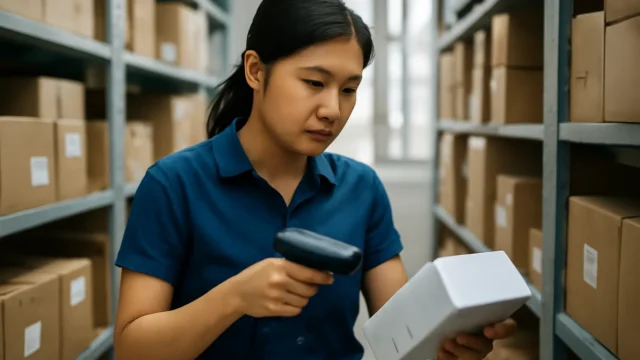
The physical kit: a main terminal or tablet, a receipt printer, a cash drawer, and sometimes a barcode scanner, kitchen printer, kitchen display or self-order kiosk. Our POS cost guide covers how hardware is priced.
3. Payments
How the customer pays: cash, NETS, credit and debit cards, PayNow and e-wallets. Card and QR payments go through a payment terminal or QR code, and each has its own fees. Whether the terminal talks to the POS, so staff don’t key amounts twice, is one of the biggest differences between set-ups.
4. Reports
What you get out of the system: daily sales, sales by item and by staff, payment method totals for reconciliation, and data you can send to your accountant. A POS that takes orders well but reports badly will cost you hours at month-end.
POS system vs cash register
A cash register adds up a sale, holds the cash and prints a tape. A POS does that plus much more:
| Cash register | POS system | |
|---|---|---|
| Records sales | Totals and a printed tape | Every item, modifier, discount and staff member |
| Payments | Cash; cards on a separate terminal | Cash, cards, NETS and QR, often linked to the terminal |
| Stock | Not tracked | Can deduct stock as items sell |
| Reports | End-of-day totals | Sales by item, hour, outlet and payment type |
| Customers | None | Loyalty, vouchers and customer history |
| Access | At the till only | Back office on a browser or phone |
Both can meet your record-keeping duties. IRAS’s record-keeping page for GST-registered businesses lists “serially numbered receipts issued or cash register tapes” as acceptable sales records, and says records must be kept for at least five years. It also says you can keep records electronically without approval, so long as you meet IRAS’s guides. A POS simply makes those records easier to find and export. If you still run a till, see when a small shop should upgrade from a cash register.
The main types of point of sale systems
Vendors use different labels, but most systems fall into one of these groups.
Cloud POS
The software and data live on the vendor’s servers. You log in from a tablet or browser, and the back office is available anywhere. Updates arrive automatically. The risk is dependence on the internet: a purely online system may stop taking orders when the connection drops.
Hybrid POS
A cloud POS that keeps working offline. Orders are stored on the device and sync when the connection returns. For restaurants and busy shops, this is usually the safest option. Our guide to cloud POS vs traditional POS covers the trade-offs in more detail.
Traditional (on-premises) POS
Software installed on a local server or terminal in the shop. It does not depend on the internet, but remote access, updates and multi-outlet reporting are harder.
All-in-one terminals and phone-based POS
Some devices combine the POS app and the payment terminal in one unit. NETS, for example, describes its Integrated POS Solution as a single terminal to “take orders, process payments and track sales”, with F&B, salon and retail features. Its SoftPOS app turns a compatible NFC-enabled Android phone into a contactless payment terminal. These suit small, simple businesses. Larger outlets usually outgrow them and need kitchen routing, table plans and deeper reports.
What a POS does day to day
Beyond ringing up sales, a modern point of sale system typically handles:
- Orders: menus or product lists with modifiers, bundles and price levels.
- Payments: split bills, multiple payment methods and refunds, with totals by method for cash-up.
- Staff: individual logins, permissions for voids and discounts, and sales by staff member.
- Stock: deducting stock as items sell, and flagging items running low.
- Customers: loyalty points, stamps, vouchers and stored value.
- Channels: QR ordering, online ordering and delivery platforms feeding into one system.
- Accounting: sending daily sales to accounting software.
Not every business needs all of this. Our features overview explains each one, and our POS buying checklist helps you separate must-haves from nice-to-haves.
How F&B, retail and salon set-ups differ
A POS built for one industry can feel clumsy in another. Here is what changes.
Food and beverage
F&B is about speed and getting orders to the kitchen correctly. Look for table management, modifiers (“less ice”, “no chilli”), split bills and tabs, and tickets routed to the right kitchen station or display. QR ordering, queue management and delivery integration matter for many outlets. Recipe-level stock deduction helps control food cost. See our restaurant POS page.
Retail
Retail is about products and stock. Look for barcode scanning, variants (size and colour), stock counts, transfers between outlets, and fast checkout. Loyalty and promotions matter too. See our retail POS page.
Salons and services
Services sell time rather than items. Look for appointment handling, packages and prepaid credits, staff commission and customer history. See our salon and spa POS page.
What a POS costs, and grant support
Pricing varies widely by vendor, number of terminals, hardware and features, and many vendors quote rather than publish prices. Our POS system cost guide breaks down what goes into a quote, and the POS cost calculator gives you a starting point.
Grant support is changing this month. EnterpriseSG’s Productivity Solutions Grant page says PSG, EDG and MRA cease on 29 September 2026, and businesses apply under the EDGE Grant from 30 September. The EDGE Grant page states support of “up to 70% for SMEs”, with levels differing by activity, and a total cap of S$100,000 a year across all activities. Grant support is paid on a reimbursement basis after the activity is complete. Our grant guide tracks what this means for POS purchases; confirm the current terms with EnterpriseSG before you sign anything.
How to choose a point of sale system
- Start with how you sell. Counter, table service, QR, online, delivery, appointments? List them before you look at vendors.
- Check offline mode. Ask what happens when the internet drops mid-service.
- Check payments. Which methods are supported, and does the terminal link to the POS?
- Check reports and accounting. Can your accountant use what the POS exports?
- Get the full cost in writing. Software, hardware, set-up, payment fees and support.
- Ask about local support. Who picks up the phone on a Saturday night?
For a comparison of options, see our guide to the best POS systems in Singapore.
Where ChaChaCha fits
Common POS terms explained
Vendors use a lot of jargon in demos and quotes. These are the terms Singapore business owners hear most often.
| Term | What it means |
|---|---|
| X-report | A snapshot of sales so far that does not close the day |
| Z-report | The end-of-day or end-of-shift report that closes the period |
| Modifier | An option on an item, such as “less ice” or “add egg”, which may change the price |
| SKU | Stock keeping unit: a code for each product and variant in retail |
| KDS | Kitchen display system: screens that replace paper kitchen tickets |
| Tender | A payment method on a bill, such as cash, NETS, card or PayNow |
| Integrated terminal | A card terminal that receives the amount from the POS, so staff do not key it twice |
| MDR | Merchant discount rate: the fee the payment provider charges on each card or QR payment |
| Hybrid POS | A cloud POS that keeps working offline and syncs when the internet returns |
| Void | Cancelling an item before payment, usually needing a manager if already sent to the kitchen |
| Reconciliation | Matching POS totals with cash counted and payment settlements |
If a vendor uses a term you do not recognise, ask them to show it on screen. Our features overview explains how these fit together.
ChaChaCha, powered by AppsPOS (a Singapore company since 2013), is a web and hybrid POS built F&B-first, with a retail kiosk mode; for other retail and salon set-ups, ask us to confirm what fits. It keeps taking orders if the internet drops and syncs later. It includes table management, split bills and tabs, custom modifiers, staff permissions, a kitchen display with station routing, QR ordering, queue management, loyalty, recipe-level stock deduction, reports and Xero integration. Payments cover PayNow, PayLah!, NETS, Visa/Mastercard and GrabPay. Hardware is supplied by AppsPOS as part of a quote-based package. AppsPOS has been a PSG pre-approved vendor and is approved under the EDGE Grant. Contact us for a quote.