Key takeaways
- A catering order moves through enquiry, quote, deposit, production, delivery and invoice. Our invoice template for Singapore businesses shows what to include. A catering POS system has to track each order across all of those stages, not just ring up a sale.
- IRAS says a deposit that forms part payment is subject to GST when you receive it, if you are GST-registered. Your system should record deposits and balances separately.
- Corporate clients expect tax invoices with PO numbers, often on credit terms. IRAS is phasing in the GST InvoiceNow Requirement for GST-registered businesses.
- SFA’s catering guidance sets a 4-hour limit from cooking to eating and requires a time stamp on each packed meal or buffet table, so production and delivery times matter.
- Ask every vendor, including us, to show you your own workflow end to end before you buy.
This guide is general information, not legal or tax advice. It uses SFA and IRAS pages as summarised in our earlier guides, checked in 2026. Confirm the latest rules with SFA, IRAS and your accountant.
How a catering order flows
A restaurant sale starts and ends within an hour. A catering order can take weeks, and it passes through several hands:
- Enquiry. A client asks about a date, headcount, menu and budget, by phone, WhatsApp, email or your website.
- Quote. You send a quotation with menu, quantities, delivery charges, set-up, GST and terms. For public-sector quotations, see how GeBIZ catering bids work.
- Deposit. The client confirms and pays a deposit to hold the date.
- Production. Closer to the date, the kitchen needs a production list: how many trays or packs of each dish, and when to cook them.
- Delivery. Food is packed, labelled with time stamps, and delivered within the window.
- Invoice and payment. The balance is collected on the day, or invoiced to the company on credit terms.
Many small caterers run this on spreadsheets, a chat app and a separate invoicing tool. That works until you have several events on the same day. Then orders get missed, deposits are not matched to balances and the kitchen cooks from an old headcount. The rest of this guide covers what a system should do at each stage. For the licensing side of the business, see our guide to starting a catering business.
Advance orders with delivery dates
The core need is simple: an order that is taken today but fulfilled on a future date and time, and that stays visible until then. Look for:
- A fulfilment date and time on every order, separate from the date the order was placed.
- A view of upcoming orders by day, so you can see next Friday’s load at a glance.
- Delivery address, contact on the day and venue notes such as lift access or loading bay.
- Headcount changes recorded against the order, with a history of what changed and when.
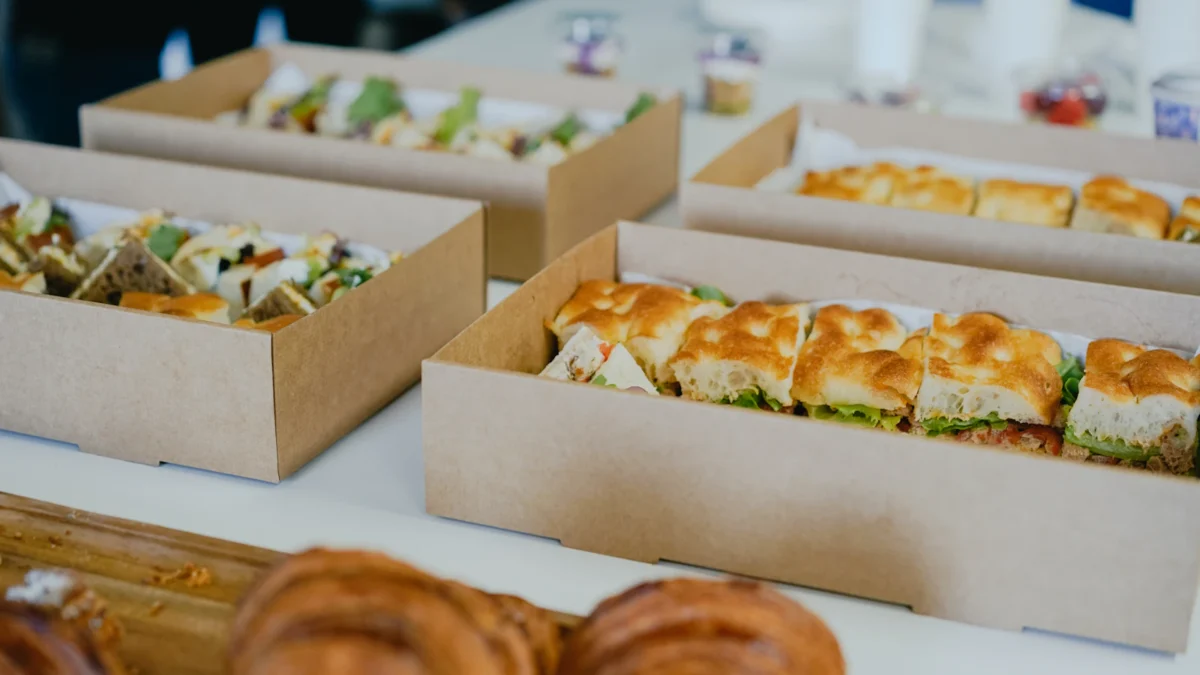
- Online ordering for small orders. Platters, bento sets and mini-buffets can be ordered and paid online, which saves a round of quotes for simple jobs. Our catering menu examples show how to tier those sets by pax.
Separate your two types of catering order. Small, standard orders suit an online ordering page with payment upfront. Large, custom events still need a quote and a conversation, and they are where deposits and invoices come in.
Deposits, balances and GST
A deposit turns an enquiry into a commitment, and it needs to be tracked until the balance is paid. Your system should show, for each order, the total, what has been paid, and what is outstanding.
On GST, IRAS’s page on deposits and downpayment describes two types of deposit. For a deposit that “forms part of the payment for goods or services”, IRAS says you charge GST “when you receive the deposit”. If you later refund it, you may adjust the GST previously accounted for, provided you keep proper documentation such as a credit note. For a refundable security deposit, IRAS says GST is charged when you use the deposit to offset against the payment due. Ask your accountant how a forfeited catering deposit or cancellation fee should be treated for you. Our private events guide covers deposit terms in more detail, and our GST registration guide covers whether you need to register.
In practice, this means:
- Record whether each deposit is part payment or a security deposit.
- Issue a receipt or invoice for the deposit when you receive it.
- Link the deposit to the order, so the final bill deducts it automatically.
- Keep credit notes for refunds.
Corporate invoices and credit terms
Companies are often a caterer’s best repeat clients, and they pay differently. Their finance teams usually want:
- A quotation, then a tax invoice with the company name, billing address and purchase order number.
- Payment by bank transfer on credit terms, such as 30 days.
- Statements showing what is outstanding across several orders.
So your back office needs accounts receivable: which invoices are unpaid, how old they are and who to chase. Many caterers do this in their accounting software rather than the POS. That is fine, as long as the order, deposit and invoice numbers line up.
E-invoicing matters here too. IRAS is phasing in the GST InvoiceNow Requirement for GST-registered businesses, and catering invoices to companies are business-to-business invoices. Our InvoiceNow guide explains the dates and which invoices count. Our guide to accounting software for F&B compares tools that handle invoicing and receivables.
Kitchen production lists
A catering kitchen does not cook order by order. It cooks by dish, in batches, for every order due in a time slot. The kitchen needs a production list that adds up all orders for a date: for example, 14 trays of curry chicken, 600 packs of fried rice, 9 trays of vegetables.
Useful features to ask about:
- Totals by dish across orders for a date or delivery slot.
- Portion or tray conversions, so a headcount becomes a number of trays.
- Packing lists by order, so the packing team knows what goes into each delivery.
- Dietary and allergen notes carried through from the order. See our allergen management guide.
- Ingredient requirements, so purchasing can order the right stock ahead of a big weekend.
Ingredient costing matters because catering margins are set per head. Our guide to food cost in Singapore shows how to cost a set.
Labels, time stamps and delivery timing
Catering food safety is built around time. SFA’s Guidelines for Ordering Catered Meals for Functions and Events say “no food should be kept at room temperature for more than 4 hours from the time it was cooked at the caterer’s kitchen to the time it is consumed”. SFA also says a time stamp label on each packed meal, or a time stamp sign on each buffet table, has been “a mandatory requirement with effect from 15 February 2012”, and the “CONSUME BY” time should not be later than 4 hours from when the food is cooked or ready to eat. SFA advises customers to request delivery at most 1 hour before meal time.
For your systems, this means:
- Cook times worked back from the meal time on each order.
- Labels that show the consume-by time for each packed meal, and printed signs for buffet tables.
- A record of when each order left the kitchen, in case a client or inspector asks.
Whether you print labels from your POS or a separate label printer, test the workflow before a large order. Our catering business guide covers the full SFA rules, including chafing dishes and leftovers.
Delivery scheduling
Deliveries have to land inside a narrow window: early enough to set up, late enough to stay within the 4-hour limit. For each order you need the delivery time, address, contact person, vehicle and driver or courier, and set-up requirements.
Options are your own van and drivers, a courier you book per job, or a mix. Your own van suits buffets with set-up; couriers suit small drop-off orders. Build a daily run sheet from your orders: which vehicle, which drop, what time it must leave. Our guide to restaurant delivery operations has more on running your own deliveries.
What ChaChaCha covers for caterers
ChaChaCha (powered by AppsPOS) covers several of the stages above:
- Online ordering page and pre-orders. Customers can order, pay and collect through the pre-order flow, or order through your online ordering page. This suits platters, bento sets and mini-buffets. See QR ordering.
- Payments. PayNow, PayLah!, NETS, Visa/Mastercard and GrabPay, with split payments and automated reconciliation. See POS payments.
- Kitchen. A kitchen display system with station routing, order prioritisation and prep timers, and Epson cloud printing to multiple printers, with tickets in English or 中文.
- Delivery. Lalamove for delivering your own online orders. See delivery integration.
- Inventory. Recipe-level stock deduction and recipe costing per menu item. See inventory management.
- Reports and accounts. Reports, ERP for head office and Xero integration. See POS accounting integration.
Pre-orders can take deposits, with a pickup schedule. For balance tracking, corporate invoices on credit terms, InvoiceNow, kitchen production lists by date, and time-stamp labels, ask us to confirm how your workflow would run. Our corporate lunch orders guide covers the sales side. Get it in writing from each vendor, including us. Pricing is quote-based and hardware is supplied by AppsPOS as part of the package. The EDGE Grant guide explains grant support. Contact us with a sample week of orders.
Questions to ask any catering POS vendor
| Question | Why it matters | ChaChaCha |
|---|---|---|
| Can I take an order today for delivery on a future date and time? | Every catering order is an advance order | Pre-orders with a pickup schedule and an online ordering page; ask us to confirm future-dated delivery scheduling for your setup |
| Can I record a deposit and bill the balance later? | Deposits hold dates and have GST timing rules | Pre-orders can take deposits; ask us to confirm how the balance is billed |
| Can I issue tax invoices with PO numbers on credit terms? | Corporate clients pay on invoice | Ask us to confirm; sales flow to Xero |
| How do invoices meet the InvoiceNow requirement? | IRAS is phasing it in for GST-registered businesses | Ask us to confirm |
| Can the kitchen see totals by dish for a date? | Kitchens cook in batches, not order by order | KDS and multi-printer routing; ask us to confirm production lists |
| Can I print time-stamp labels? | SFA requires time stamps on packed meals and buffets | Ask us to confirm |
| How are deliveries booked? | Tight delivery windows | Lalamove for your own online orders |
| Which accounting software does it sync with? | Avoid re-keying sales | Xero |
| Does it cost ingredients per menu item? | Per-head pricing needs accurate costs | Recipe costing and recipe-level stock deduction |
| What is the price and what is included? | Compare like with like | Quote-based; hardware supplied as part of the package |
Ask each vendor to run one of your real orders through the system, from quote to invoice, during the demo. Our POS integrations guide covers how to check what connects to what.