Key takeaways
- Most e-wallet payments in Singapore run through QR codes. SGQR puts many schemes on one label so customers see what you accept.
- You do not sign up with each wallet separately in most cases. An acquirer such as NETS or your POS payment partner enables a bundle of wallets.
- Fees are rarely published. Get the rate for each wallet, the settlement timing and any monthly charges in writing.
- A static QR label and an integrated POS QR are different. Integrated QR puts the amount in for the customer and reconciles automatically.
- ChaChaCha supports PayNow, PayLah!, NETS, Visa/Mastercard and GrabPay. Ask us to confirm any other wallet you need.
How e-wallet acceptance works in Singapore
When a customer pays with GrabPay, PayLah! or a wallet from overseas, three parties are involved behind the counter: the wallet provider, an acquirer that signs up the merchant and settles the money, and whatever device or label shows the QR code. As a merchant you normally deal with the acquirer, not each wallet.
The glue is SGQR. The Monetary Authority of Singapore describes SGQR as “the world’s first unified payment QR code”, combining multiple payment QR codes into a single label so merchants display one label instead of many. The scheme is co-owned by MAS and IMDA (MAS SGQR page), and MAS says it has been deployed throughout Singapore since 2018 (MAS e-payments page).
The customer flow MAS describes is simple: pick your payment option on the label, scan, check the merchant name, key in the amount and pay. Both customer and merchant should receive a near-immediate notification.
Static SGQR labels versus integrated POS QR
There are two ways to show a QR code, and the difference matters more than which wallets are on it.
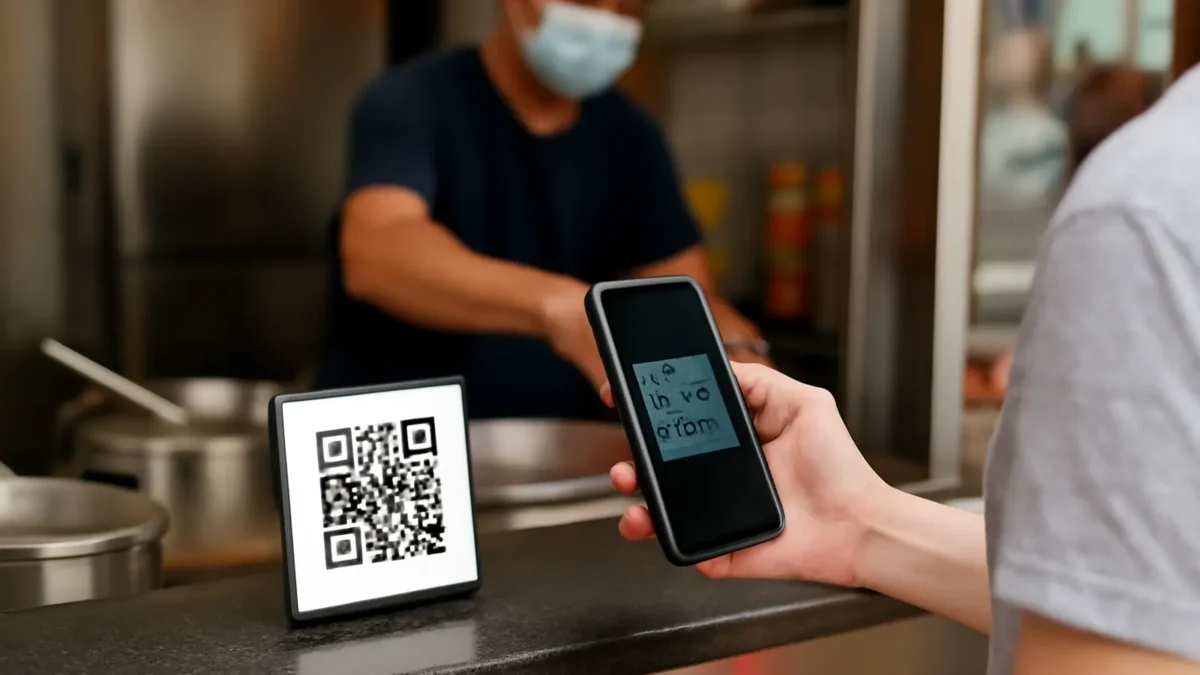
- Static label. A printed SGQR sticker at the counter. The customer types the amount. It needs no hardware, which suits a hawker stall or pop-up. The risk is that the customer keys the wrong amount, and staff must check each notification.
- Dynamic QR from the POS or terminal. The POS generates a QR code with the bill amount already filled in. When payment succeeds, the POS marks the bill paid. No typing, no checking screenshots, and the sale and payment match automatically.
NETS makes the static option clear on its SGQR label page: it says you can start accepting NETS QR “with just an SGQR label — no terminals or hardware needed”. It also warns that if you have a terminal as well, the terminal’s daily sales total will not reflect transactions made through the SGQR label (NETS SGQR label page). That is exactly the reconciliation gap an integrated set-up avoids. For NETS terminals themselves, see our NETS merchant guide. Our comparison of hawker POS versus SGQR goes through when each makes sense.
Accepting GrabPay as a merchant
Grab’s merchant checkout page offers GrabPay and PayLater both online and in-store. For in-store acceptance it mentions pre-built integrations with payment partners or a customised Grab QR code, and it states: “Settlement is made to you the very next day, however customers choose to pay.” Merchants track transactions and payouts, and issue refunds, through the GrabMerchant app and portal (Grab merchant checkout page).
In practice, many outlets accept GrabPay through their acquirer or POS payment partner rather than signing directly with Grab. NETS, for instance, lists GrabPay among the wallets available on its SGQR+ option (NETS). The route you choose decides who you call about a failed payment and whose report shows the transaction, so pick one route and stick to it.
ChaChaCha supports GrabPay alongside PayNow, PayLah!, NETS and Visa/Mastercard, through our payment partners DBS, UOB and 2C2P. GrabPay acceptance is separate from GrabFood delivery: taking GrabPay in your outlet does not list you on GrabFood, and vice versa. See our delivery integration page for the GrabFood side.
Accepting PayLah! and bank app QR payments
DBS PayLah! is a wallet from a bank, and in Singapore it is usually accepted through QR alongside other bank apps. NETS says its SGQR label accepts NETS QR payments from DBS PayLah!, OCBC Digital, UOB TMRW, Standard Chartered Mobile, Maybank2u SG and the NETS App, as well as foreign e-wallets (NETS SGQR label page).
PayNow sits next to these. MAS describes PayNow as a central addressing scheme that builds on FAST, letting users send Singapore dollars to a mobile number, NRIC number or UEN (MAS). For a business, the UEN is the key. Our guide to accepting PayNow as a business covers set-up and the checks staff should do.
Tourist wallets: what to ask
If your outlet sees visitors from China, Southeast Asia or India, their home wallets can be worth enabling. The main routes we found on official and provider pages:
- NETS terminals. NETS says its POS terminals give the option to accept foreign cards and overseas wallets from China, India, Indonesia, Thailand and Malaysia (NETS POS page).
- NETS SGQR+ label. The options listed include Alipay+ and WeChat Pay, plus Indonesian, Malaysian and Thai payment apps, with UnionPay optional (NETS SGQR label).
- Alipay+. Alipay+ calls itself a “unified wallet gateway” that connects merchants to many payment methods through a single integration, working with acquiring service providers (Alipay+).
Questions to put to your acquirer:
- Which overseas wallets are live today at an outlet like mine, and which are “coming soon”?
- Is the rate for overseas wallets different from local wallets?
- Are payments settled in Singapore dollars, and when?
- Does the payment appear in my POS, or only in the acquirer’s portal?
ChaChaCha’s confirmed methods are PayNow, PayLah!, NETS, Visa/Mastercard and GrabPay. For Alipay+, WeChat Pay or other overseas wallets, ask us to confirm what is available through our payment partners for your outlet.
Fees and settlement: get it in writing
E-wallet fees are usually a percentage of each transaction, sometimes with a monthly or per-terminal charge. Few providers publish the rate. NETS’s SGQR page says “Transaction fees apply” and describes “competitive merchant rates and same-day settlement” for NETS QR, but refers merchants to its team for the actual fees (NETS). On its terminal page NETS says NETS payments reach your bank account the next working day and credit card payments typically within two to three working days (NETS POS). Grab says next-day settlement (Grab).
Because the rate differs by wallet, acquirer and volume, ask for a written schedule that lists every wallet you will accept, the fee for each, settlement timing, refund handling and any minimum charges. Our guide to payment processing fees in Singapore explains how to compare quotes and estimate your blended cost.
Reconciliation: matching wallets to sales
The more wallets you accept, the more settlement reports you may have to match. Three habits keep this under control:
- Integrate where you can. When the POS sends the amount to the terminal or generates the QR, each payment is tied to a bill. ChaChaCha supports split payments and automated reconciliation.
- Use as few acquirers as possible. One acquirer for most wallets means one portal and one settlement report. MAS’s SGQR+ proof of concept was designed so merchants could accept many schemes “through a single merchant acquirer” (MAS).
- Close each day by payment method. Compare the POS total for each wallet against the acquirer’s report for the same day, and chase gaps within the week.
Our POS payments page explains how payments and reconciliation work with ChaChaCha.
Staff training and counter set-up
Most wallet problems at the counter are people problems, not technology problems. Train staff to never hand over food on the strength of a customer’s screenshot, to wait for the POS or terminal to confirm payment, and to know how to refund to the original wallet. Display one SGQR label clearly rather than a row of old stickers, and remove labels for wallets you no longer accept.
If you are not sure which wallets are worth the effort, look at your current payment mix in your reports, then add the wallets your customers actually ask for. When you are ready, talk to us about payments for your outlet.