Key takeaways
- A price level is a set of prices for the same items, used for a specific group, time or channel.
- Keep the number of levels small. Every extra level is another place for a price to be wrong.
- CCS guidance says mandatory charges belong in the headline price or must be disclosed clearly, and discounts must be genuine with time limits stated.
- GST-registered outlets must display GST-inclusive prices, except the IRAS concession for outlets that charge a genuine service charge.
- Restrict who can change prices and review a price-change log every month.
Most menus in Singapore carry more than one price for the same item. A kopi is cheaper before 11am, a pint of beer is cheaper at happy hour, members pay less than walk-ins, and the delivery menu is priced to cover commission. Many POS systems handle this with price levels, sometimes called price lists, price tiers or pricing schedules, so staff do not have to key discounts by hand.
This guide explains how to design price levels, where they go wrong and how to stay within Singapore’s price display rules. For how to set the prices themselves, see our menu pricing strategy guide.
What a price level is
A price level is a named set of prices applied to your menu items under a rule. The rule might be a customer group (members), a time window (happy hour), a channel (delivery or QR ordering) or a location (a mall outlet versus a heartland outlet).
Price levels differ from discounts. A discount reduces a bill after the items are rung up and shows as a discount line. A price level changes the item price itself. Both are useful:
| Price level | Discount | |
|---|---|---|
| How it appears | Different item price | Separate discount line |
| Best for | Permanent or recurring differences (delivery, happy hour) | One-off promotions and vouchers |
| Reporting | Sales at a lower price, no discount line | Full price sales plus discount total |
| Risk | Wrong level applied silently | Discounts given without approval |
If you want to measure how much a promotion costs you, a discount line is easier to report. If the lower price is simply how you sell in that context, a price level is cleaner.
Common price levels in Singapore F&B
- Dine-in and takeaway. Some outlets charge a small packaging difference, or charge service charge on dine-in only.
- Delivery. A separate level for platform orders, usually higher to cover commission.
- Own online ordering and QR ordering. Often matching dine-in, sometimes with a small incentive to order direct.
- Members. A lower price or member-only items.
- Time-based. Breakfast sets, lunch sets, happy hour and late-night menus.
- Staff meals. A staff price level with manager control.
- Outlet-specific. Different prices at a mall or airport outlet with higher rent.
Start with the levels you actually need. Three or four well-run levels are better than ten that nobody checks.
Member prices and loyalty
Member prices are a simple way to reward regulars: the guest identifies themselves by phone number or app, and the POS applies the member price. They work best when:
- the member price is shown next to the normal price on the menu, so non-members can see the benefit;
- the POS applies the price automatically once the member is attached to the bill, rather than staff selecting it;
- member prices do not stack with other promotions unless you intend them to.
Member pricing is one of several loyalty options. Points, stamps, vouchers and birthday rewards can be cheaper to run because they reward behaviour instead of discounting every visit. ChaChaCha’s CRM and loyalty features cover points and stamps, e-wallet and stored value, vouchers, birthday rewards and WhatsApp marketing. Ask us to confirm how member-specific prices would be set up for your menu.
Happy hour and time-based pricing
Time-based pricing is where most errors happen, because the right price depends on the clock:
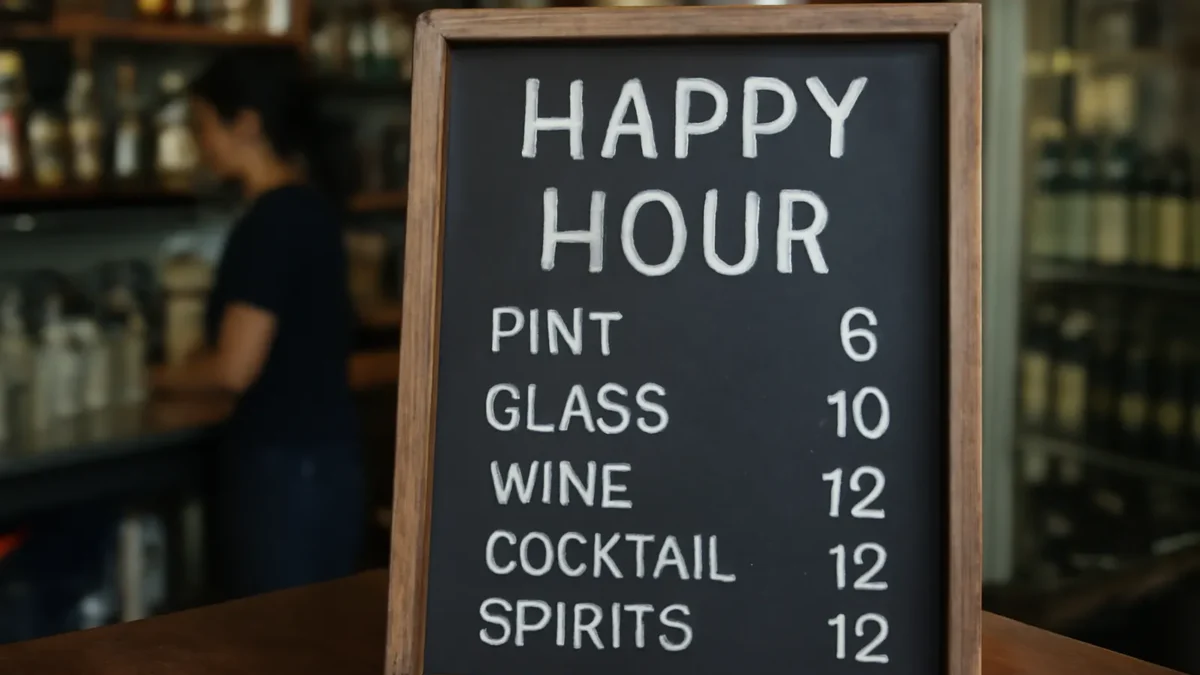
- Define the window precisely. Does happy hour apply to orders placed before 7pm, or to drinks served before 7pm? Write it down and make the POS follow the same rule.
- Automate the switch. If staff have to change the price level by hand at 5pm and 7pm, someone will forget.
- Handle open tabs. Decide what happens to a tab opened during happy hour that runs past it, and train staff on it.
- State the time on the menu. CCS’s guidance on discounts asks businesses to state the period of a time-limited offer clearly and accurately.
Our guide to happy hour strategy covers which drinks to include and how to check whether it makes money. Whether a particular POS can switch price levels automatically by time of day is a feature to test in a demo. For ChaChaCha, ask us to confirm how time-based pricing works for your menu.
Delivery and online pricing
Delivery prices are often higher than dine-in to cover platform commission and packaging. That is common and legitimate, but it needs to be managed:
- Keep the delivery level in one place. If delivery prices live partly in the POS and partly in each platform’s portal, they will drift apart. An integration that pushes one menu to the platform helps.
- Review after every price change. When you raise dine-in prices, decide whether delivery moves too.
- Be honest about differences. If you promote “same price as in-store”, make sure it is true.
Our guide to delivery menu pricing works through commission, packaging and mark-up maths. ChaChaCha integrates with GrabFood and runs QR ordering and an online ordering page; see delivery integration and QR ordering. Ask us to confirm how channel-specific prices are maintained for your set-up.
Staying on the right side of price display rules
Two sets of rules shape how you show different prices.
CCS price transparency guidance. The Competition and Consumer Commission’s Guidelines on Price Transparency apply to all suppliers, online and in physical stores. They cover four practices:
- Drip pricing: unavoidable or mandatory charges should be included in the headline price. Where they cannot reasonably be calculated in advance, their existence should be disclosed clearly and prominently with the headline price.
- Price comparisons must not be false or misleading.
- Discounts must be genuine, with a valid basis for any “was” price, and time-limited offers should state the period. CCS encourages keeping records of past prices to prove discounts are genuine.
- “Free” claims must not be misleading, with conditions stated clearly.
IRAS GST price display. If you are GST-registered, IRAS’s page on displaying and quoting prices requires GST-inclusive prices on price tags, menus, websites and quotes, with fines of up to $5,000 for non-compliance. F&B outlets that charge a genuine service charge may display prices before GST, provided they show a prominent statement such as “Prices are subject to GST and service charge”. IRAS’s F&B page adds that outlets charging service charge on dine-in only may also display GST-exclusive prices, but items sold solely for takeaway or delivery without service charge must show GST-inclusive prices.
For discounts, IRAS’s page on GST on discounts says GST is charged on the net discounted price. Our guide to service charge and GST shows the bill calculations.
Setting up price levels without errors
- Build a master price table in a spreadsheet: one row per item, one column per level. Check it before anything goes into the POS.
- Use rules, not staff choices. Attach levels to order types, member status or time windows so the POS picks the right one.
- Handle modifiers. Decide whether add-ons such as extra shots or large sizes change price by level. Our guide to menu modifiers covers set-up.
- Test before service. Ring up a sample bill at each level, in each channel, and at the edges of each time window.
- Print a staff cheat sheet showing which level applies when.
Auditing price changes
Price changes are a quiet source of margin loss and customer complaints. A monthly check keeps them under control:
- Limit who can change prices. Only a small number of managers should edit item prices or price levels. Our guide to POS staff permissions explains how to set roles.
- Keep a change log with date, item, old price, new price, level and who made the change. It also gives you the records CCS encourages for proving discounts are genuine.
- Compare the POS with the menu. Printed menus, QR menus, delivery listings and the POS should agree.
- Review price-level sales. If happy hour sales keep appearing outside happy hour, or staff prices appear on customer bills, investigate.
When you raise prices across the board, our guide to raising menu prices covers timing, communication and updating every channel at once.
How ChaChaCha handles pricing
ChaChaCha, powered by AppsPOS, supports custom modifiers, staff permissions, QR ordering, an online ordering page, GrabFood integration and loyalty features including points, stamps, vouchers and stored value. Reports show sales by item and channel so you can review how each price performs.
Price levels and time-based pricing work differently in every POS. Ask us to confirm how member prices, happy hour windows and delivery pricing would be configured for your menu, and see it in a demo before you commit. Talk to us to arrange one.